Coming soon — first on iOS (iPhone & iPad), then on macOS, and finally as a full web app for true universal accessibility on any platform
Your income, your expenses, your future —
one clear picture for the whole household
Track spending, keep your budgets, plan for what's ahead, and let every household member see what's theirs — all in one place, all making sense together.
No spam. One email when we launch.
You're on the list — we'll let you know when Havnest Money launches.
What makes it different
Deep, intuitive, and genuinely comprehensive
Havnest Money is built around four ideas that most household finance apps either skip entirely, or implement halfway. Each is immediately useful on the surface — and as deep as you want to go.
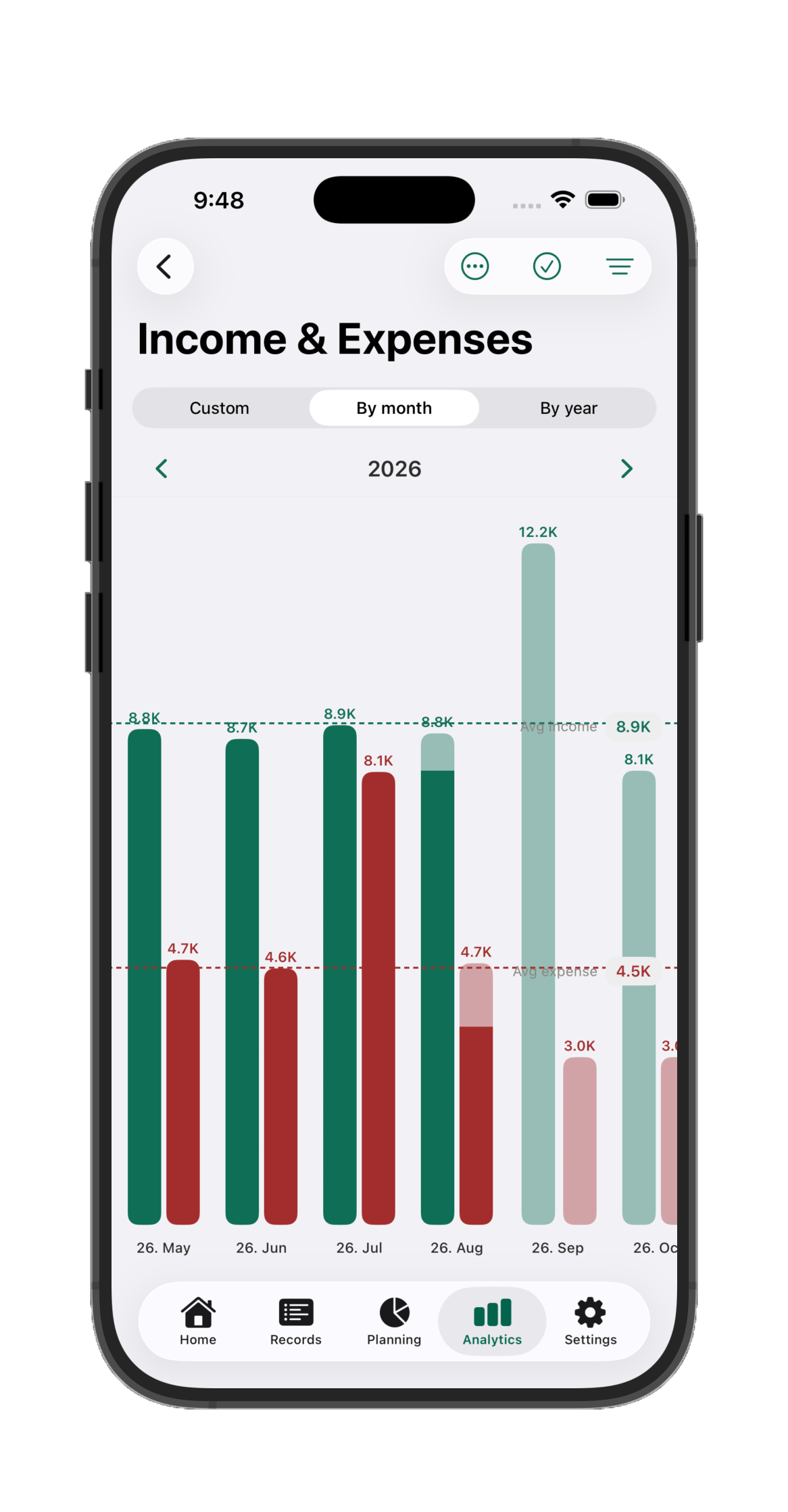
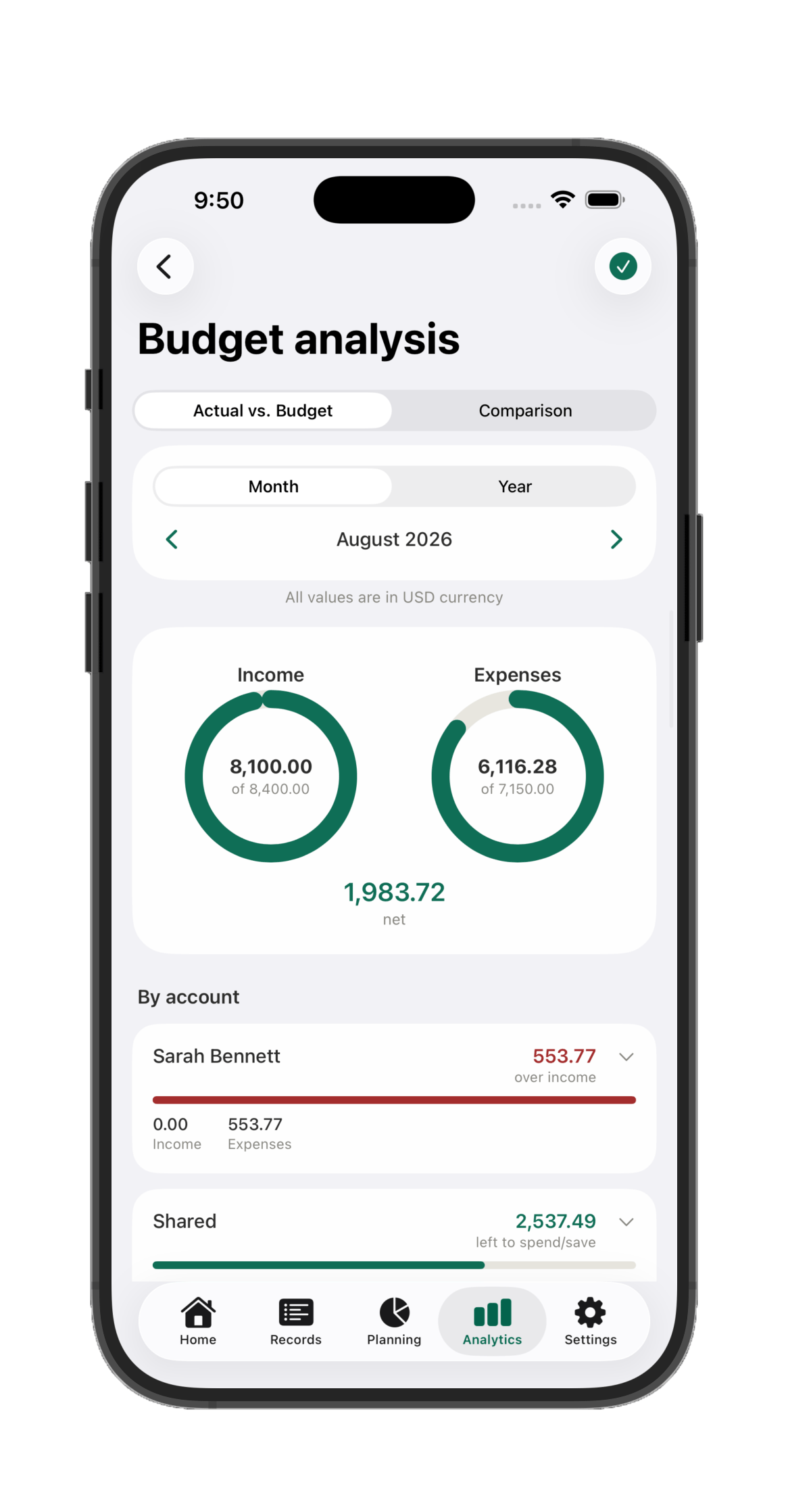
Analytics you'll actually use
Your top-line picture in seconds. Every category, trend, and comparison is available the moment you want to go deeper. Clean at a glance, powerful when you need it.
Profiles for the whole household
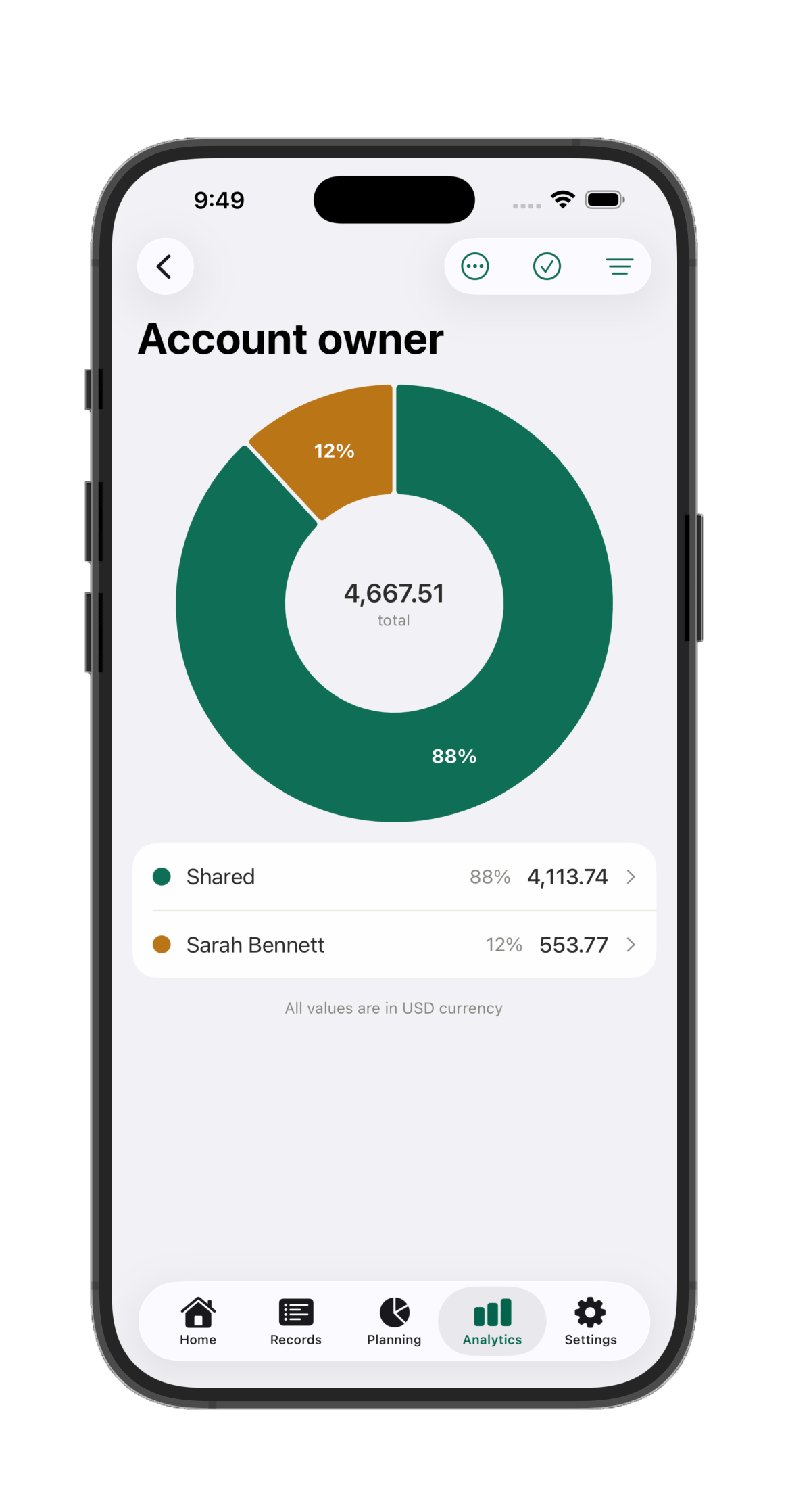
Every account belongs to a household member — or is shared by the whole household. Who spent what is always clear — no more end-of-month guesswork or disagreements.
Planned transactions
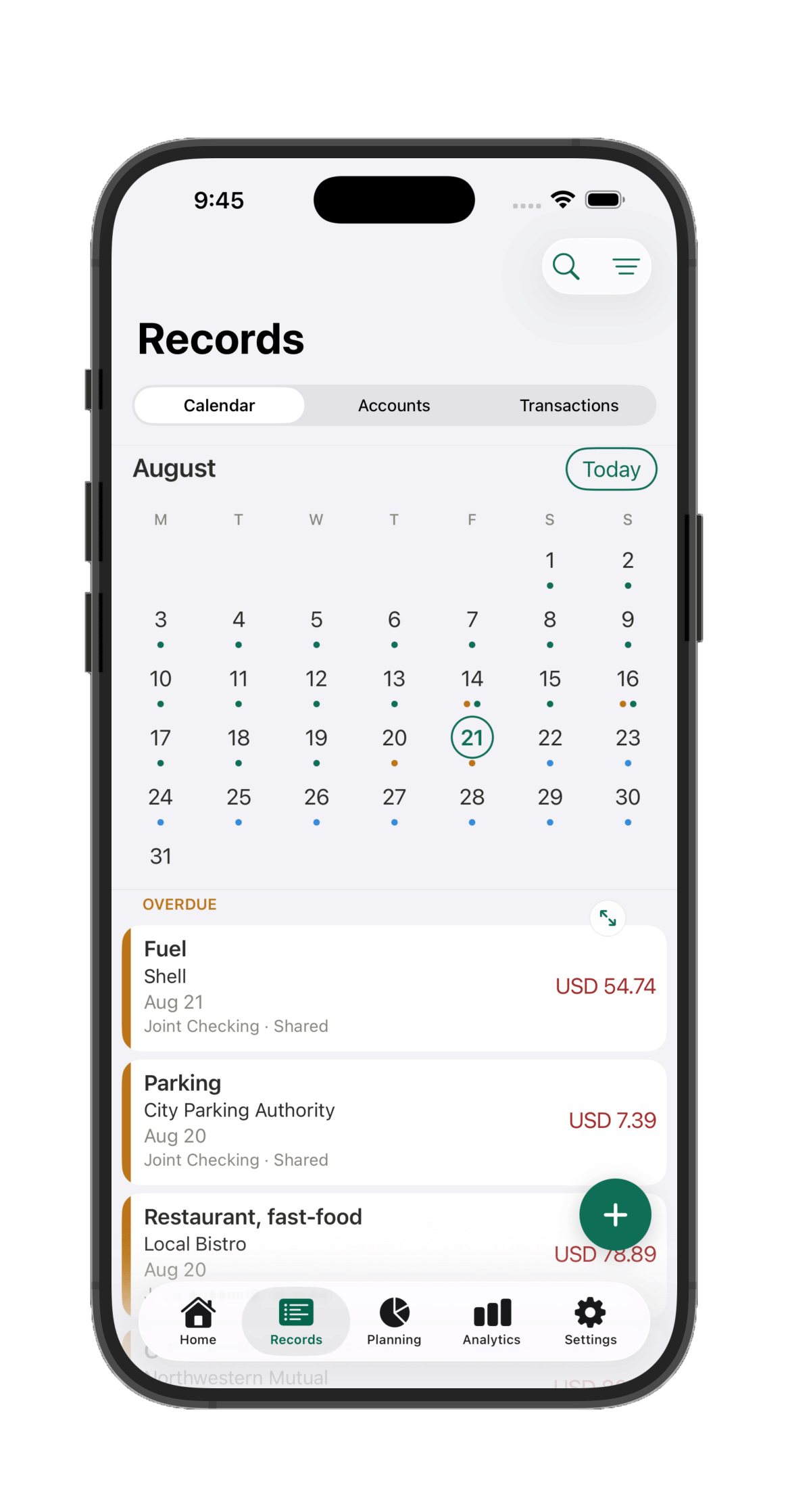
Schedule future income and expenses. Your budget knows about upcoming bills before they arrive — remaining budget means what's genuinely left after what's already planned.
Budget system built to last
Set targets per category, per period. Get alerts before you overspend. The budget adapts to how you actually live — not the other way around.
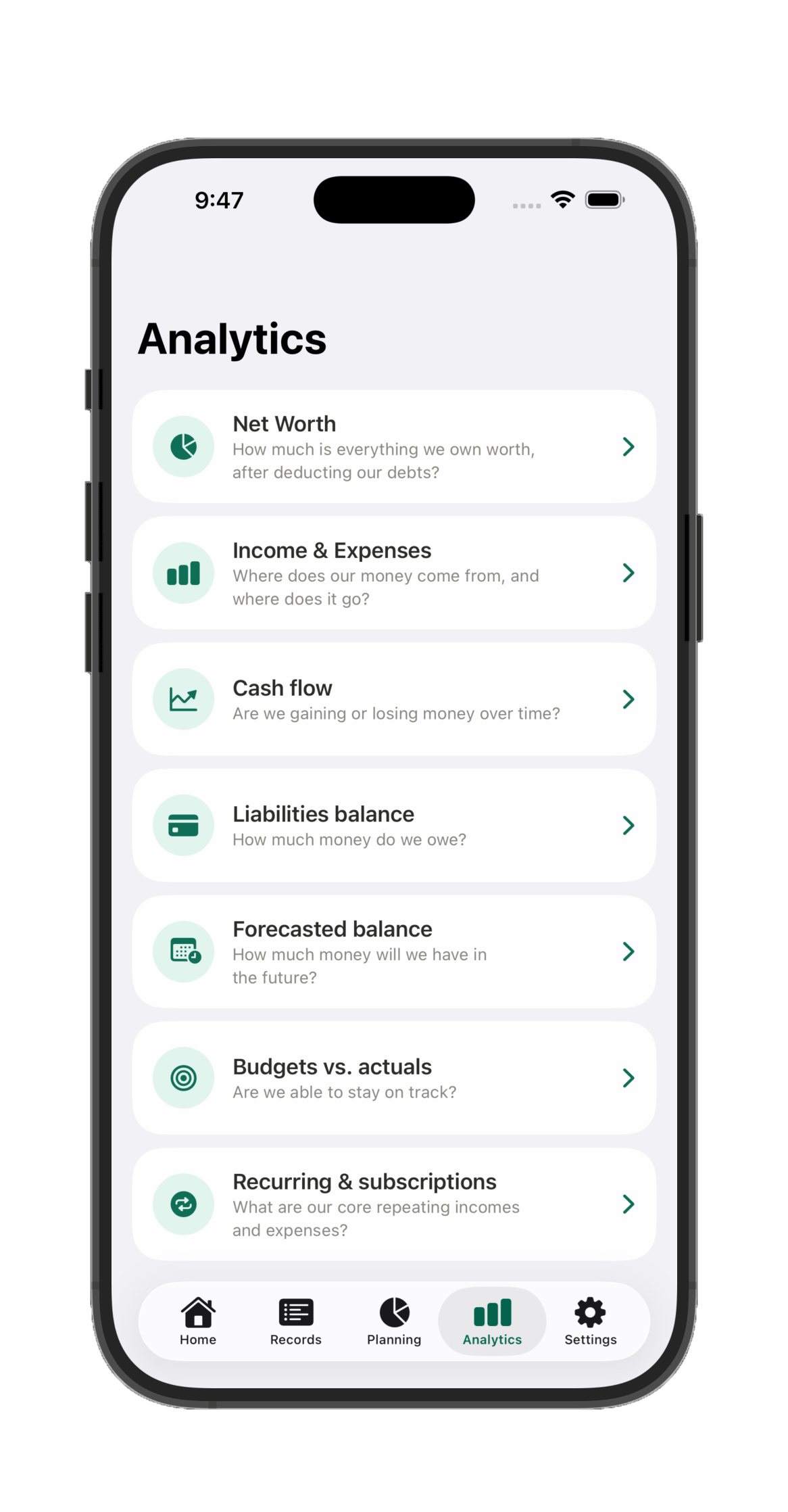
Seven analytics screens, one tap away
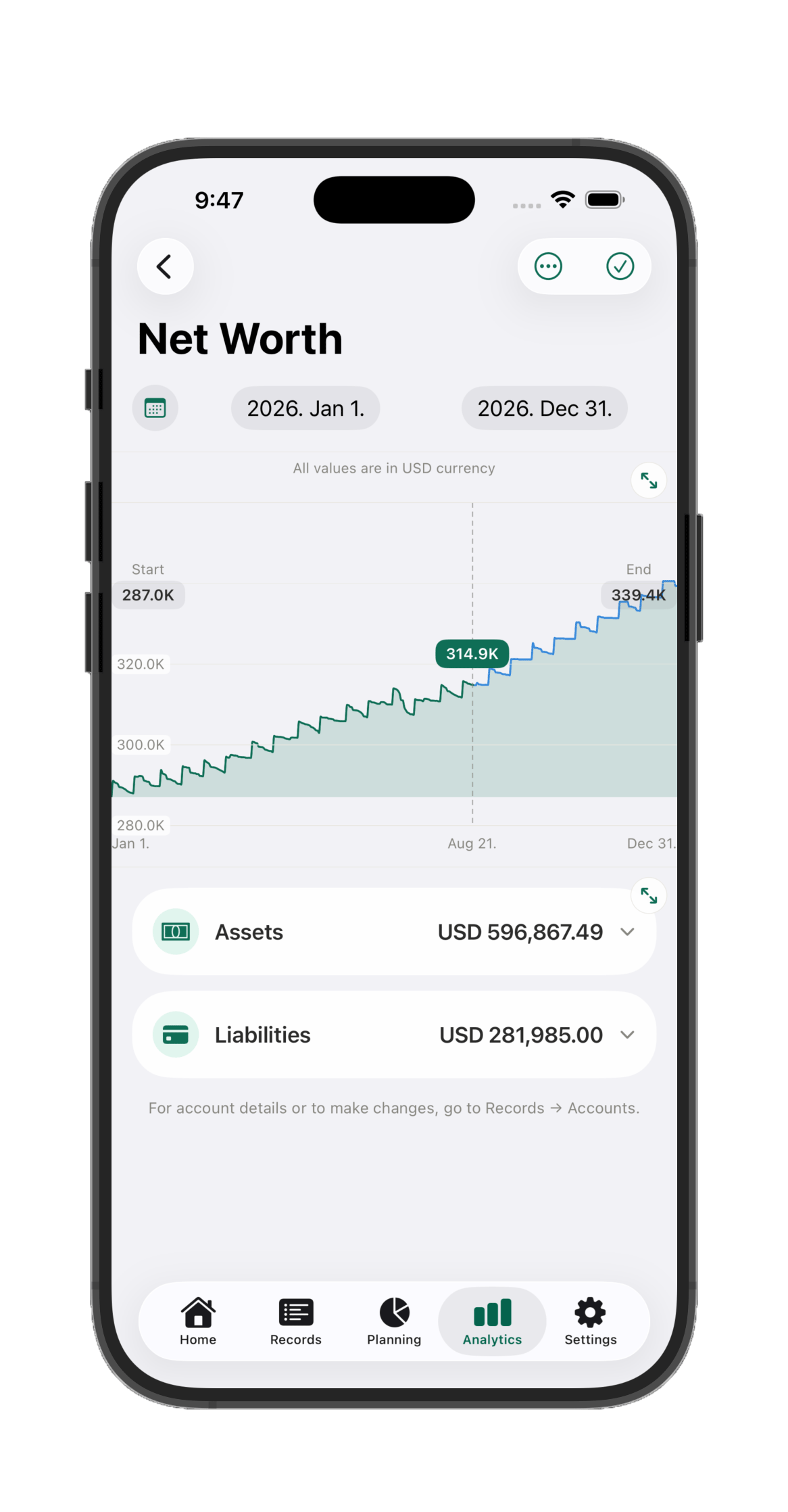
Real net worth, tracked automatically
Income vs. expenses, month by month
See what's overdue and what's coming
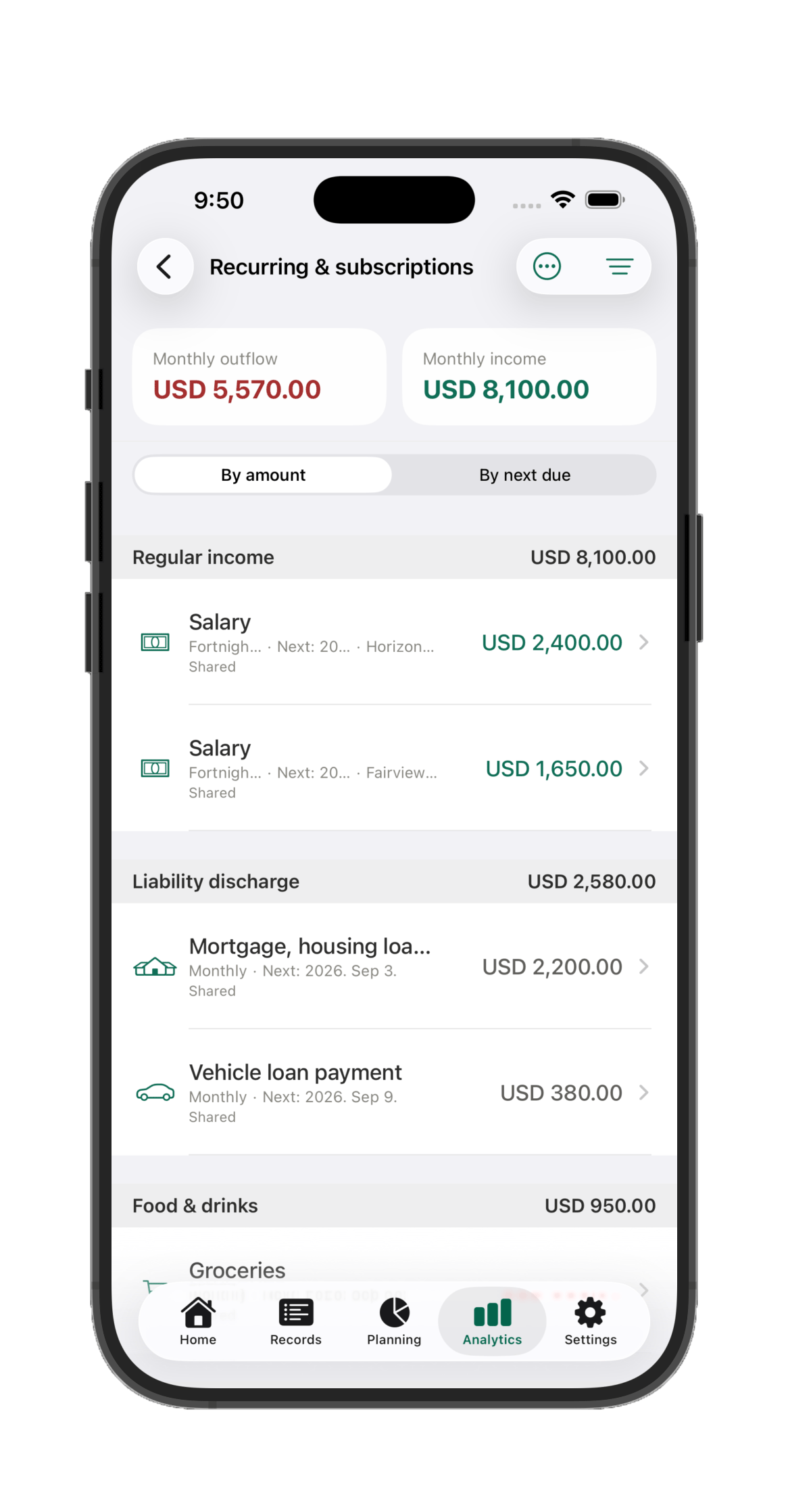
Every subscription and bill, in one list
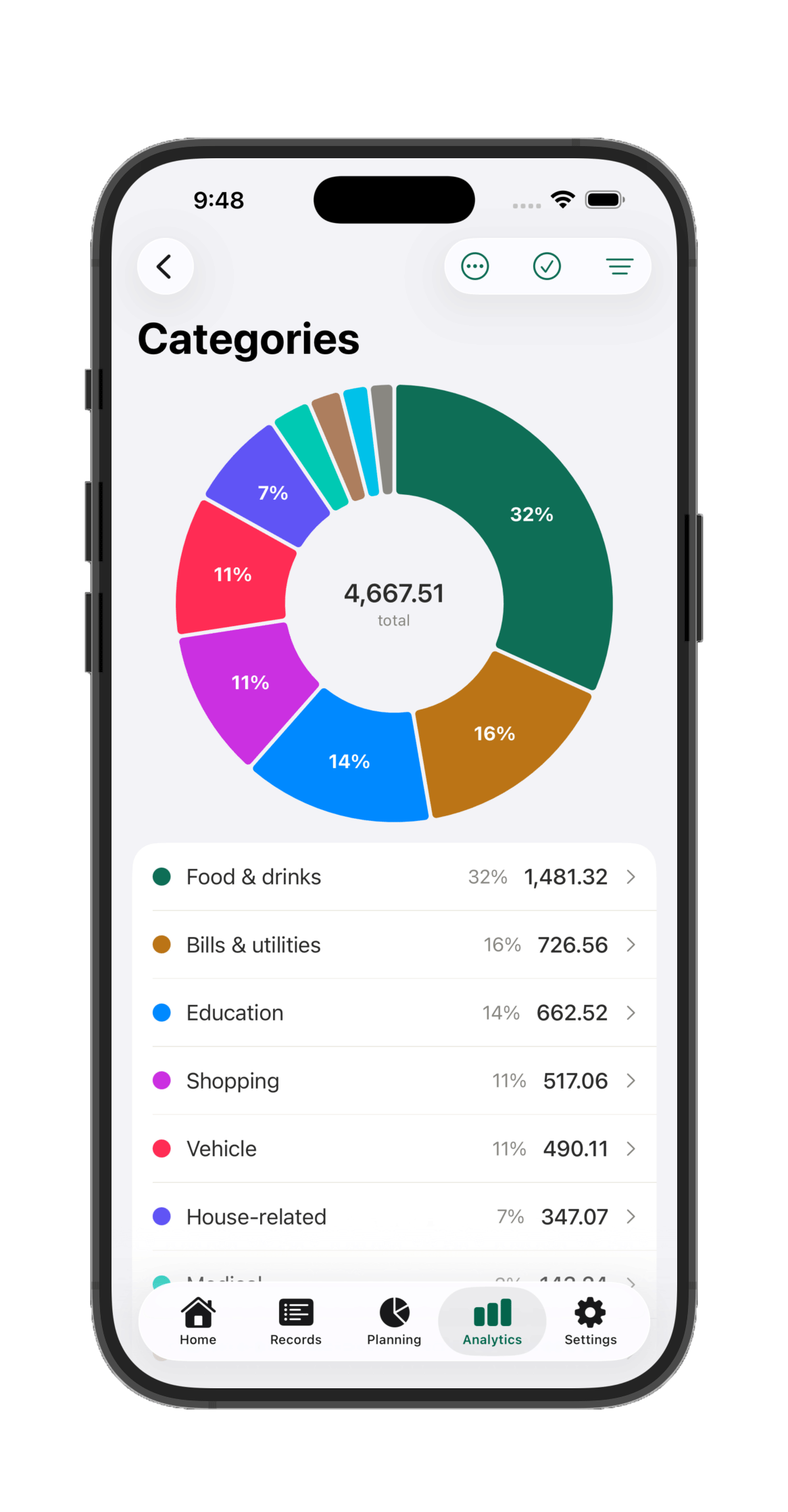
Spending broken down by category
Forecasting
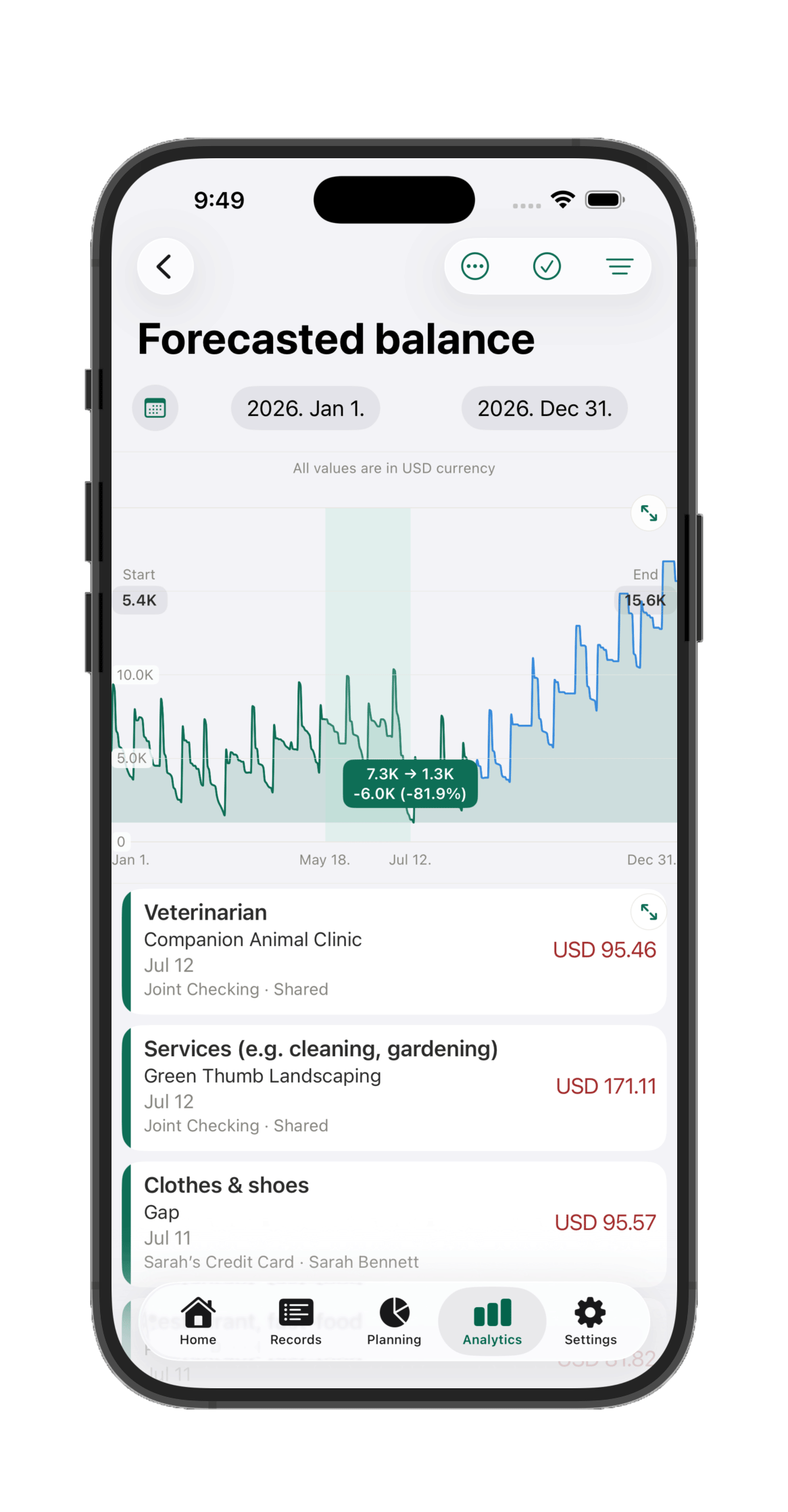
Future balance forecasting — with real drill-down
See exactly where your balance is heading, week by week, account by account. Tap any point on the chart to see which transactions drive it that day. Scenario planning lets you ask "what if I take this loan?" before you commit to anything.
Home screen
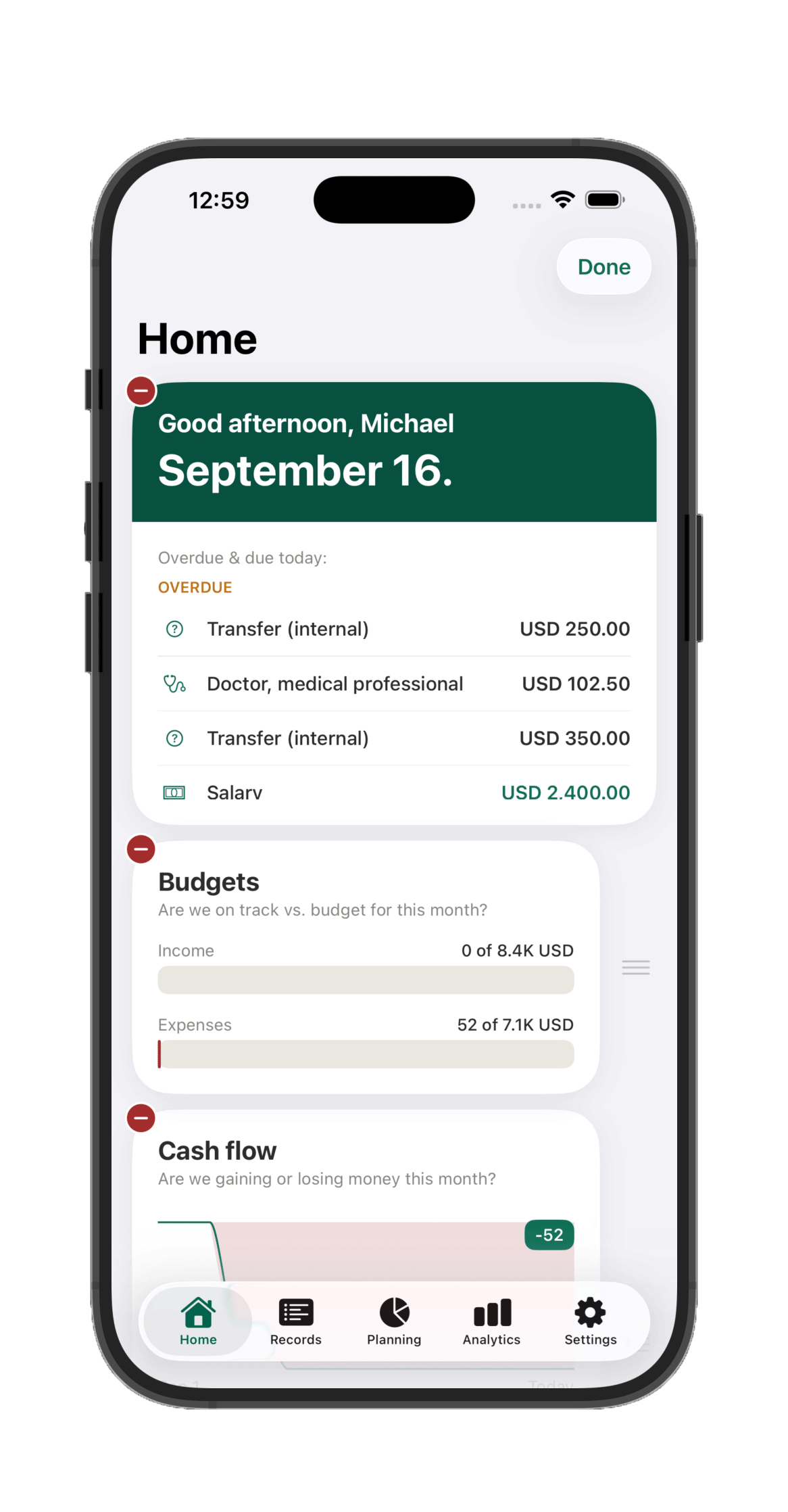
Your whole household, one glance away
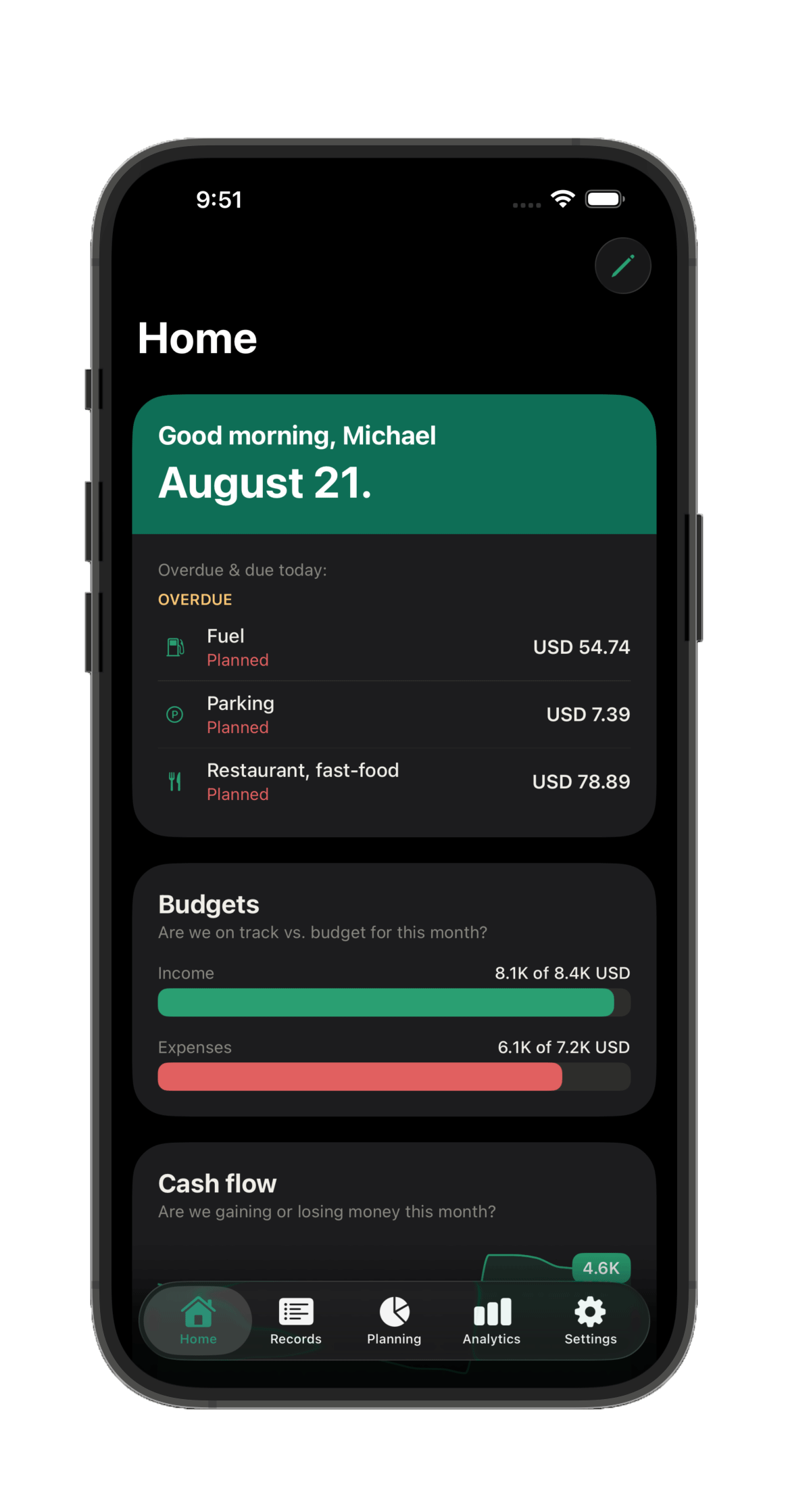
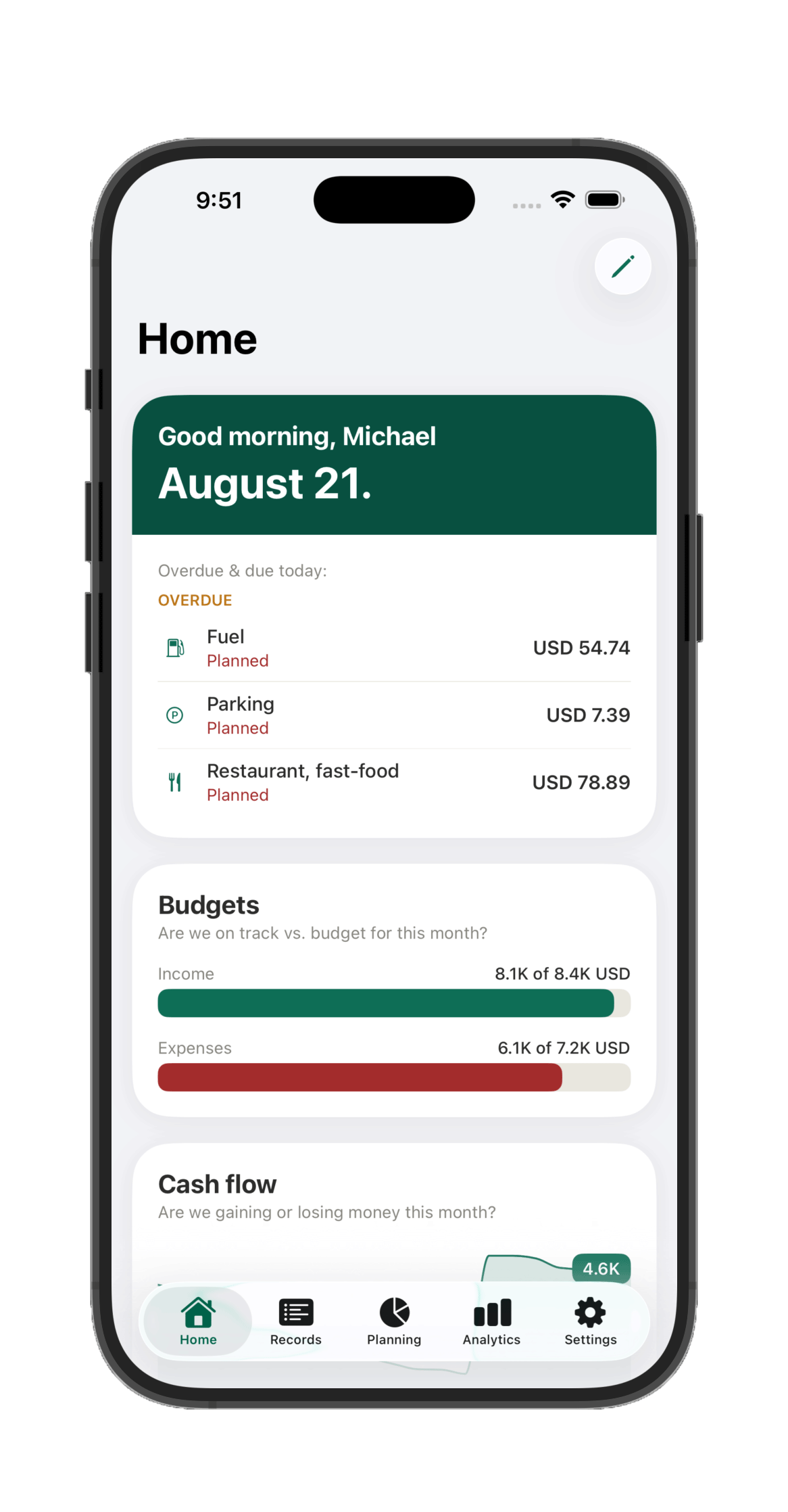
Open the app and know exactly where you stand: did you keep this month's budget? What big bills or income are landing soon? How are your Projects tracking? Who's spending how much across the household? What were this month's biggest expenses so far? Havnest Money's home screen answers all of it before you've tapped anything — and it's fully customizable, in light or dark.
Investments
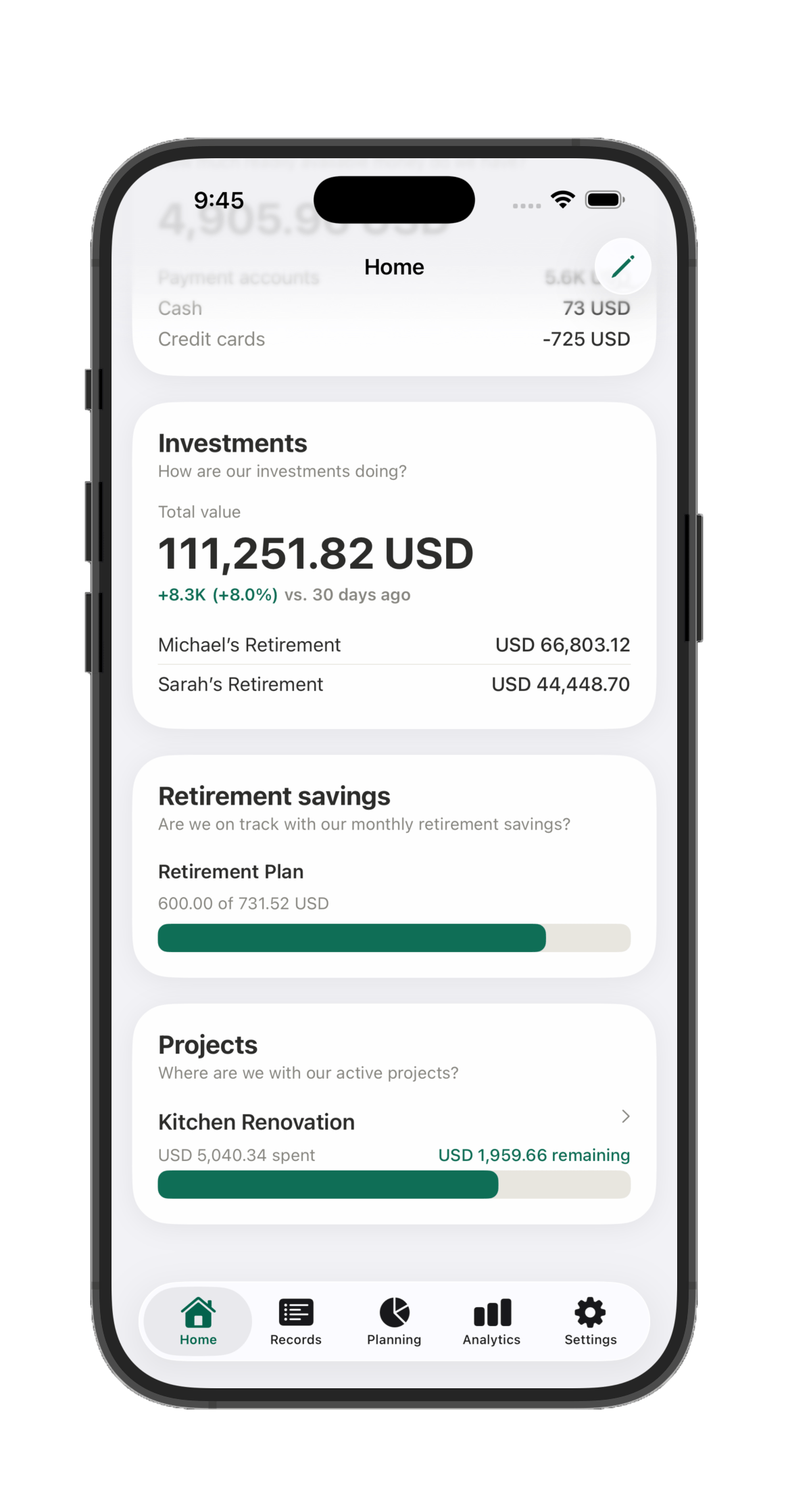
Your investments, automatically in view
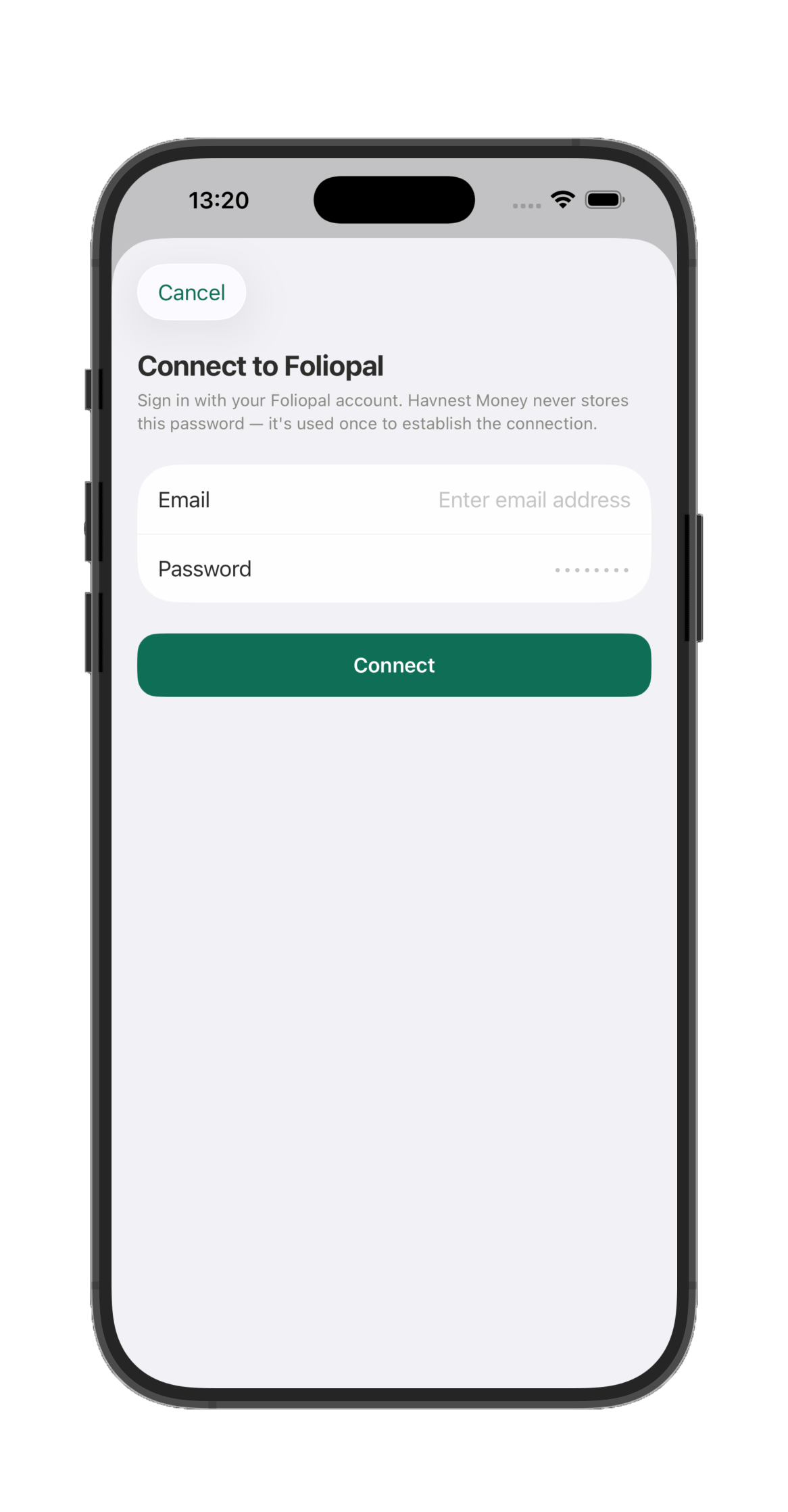
Havnest Money connects directly to Foliopal, our companion app for tracking investment portfolios, so your Investment accounts stay perfectly in sync. Connect once, and your real portfolio value — including retirement accounts — flows straight into your household's net worth, no manual updates, no duplicate spreadsheets.
Categorization
It learns how you actually organize money
Havnest Money ships with a full category system out of the box — and it gets smarter the more you use it.
A structure that goes as deep as you need
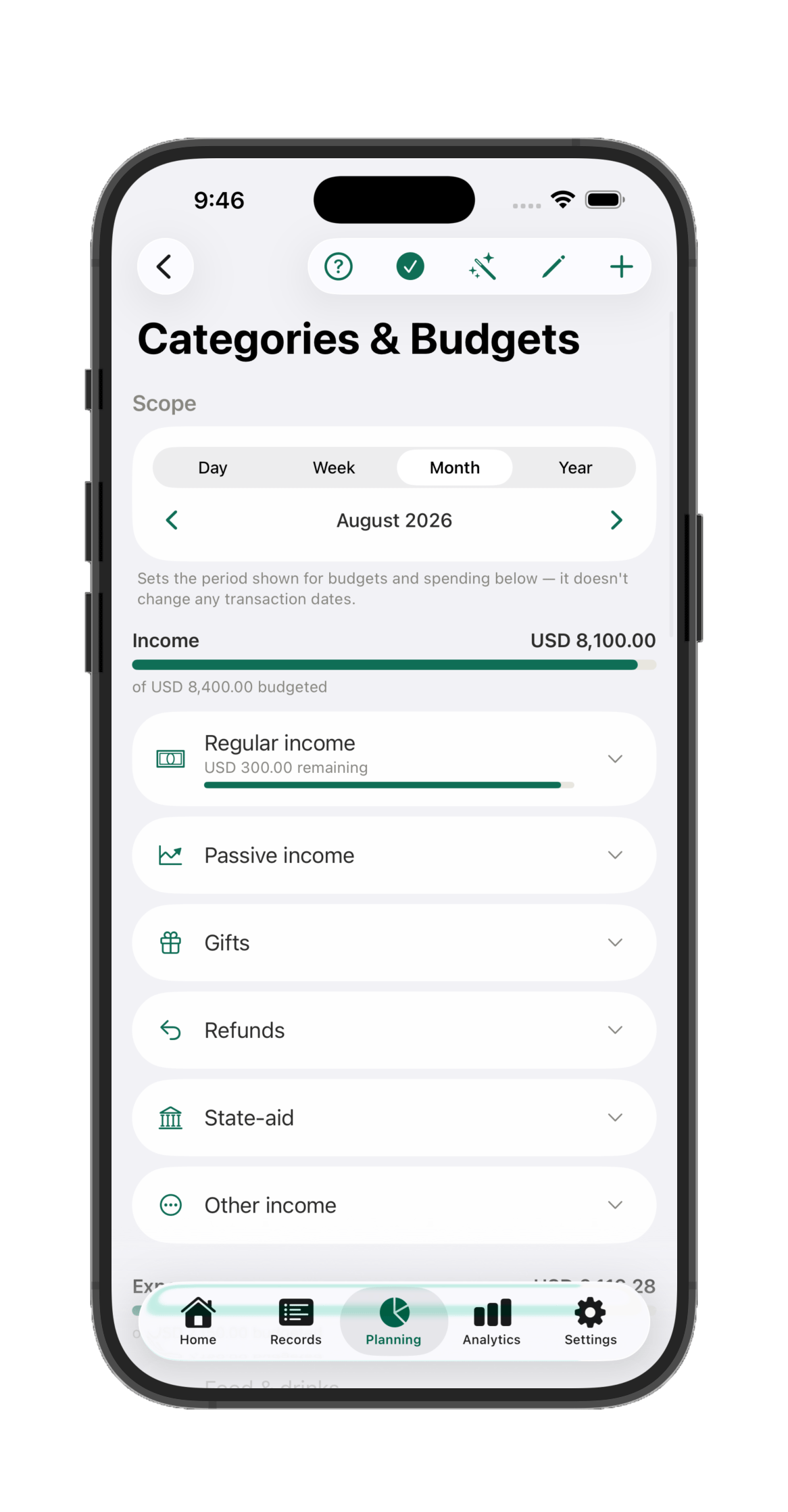
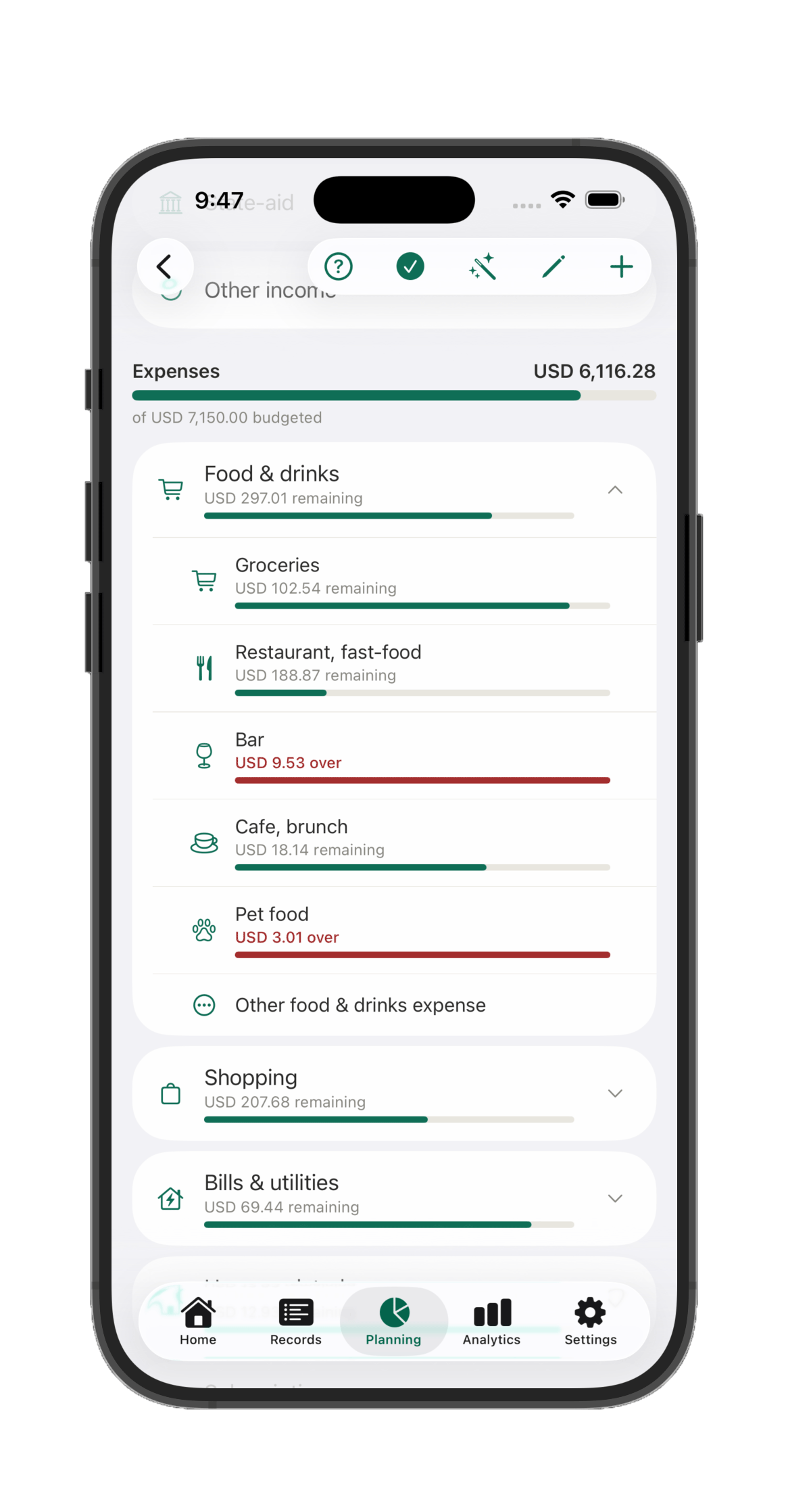
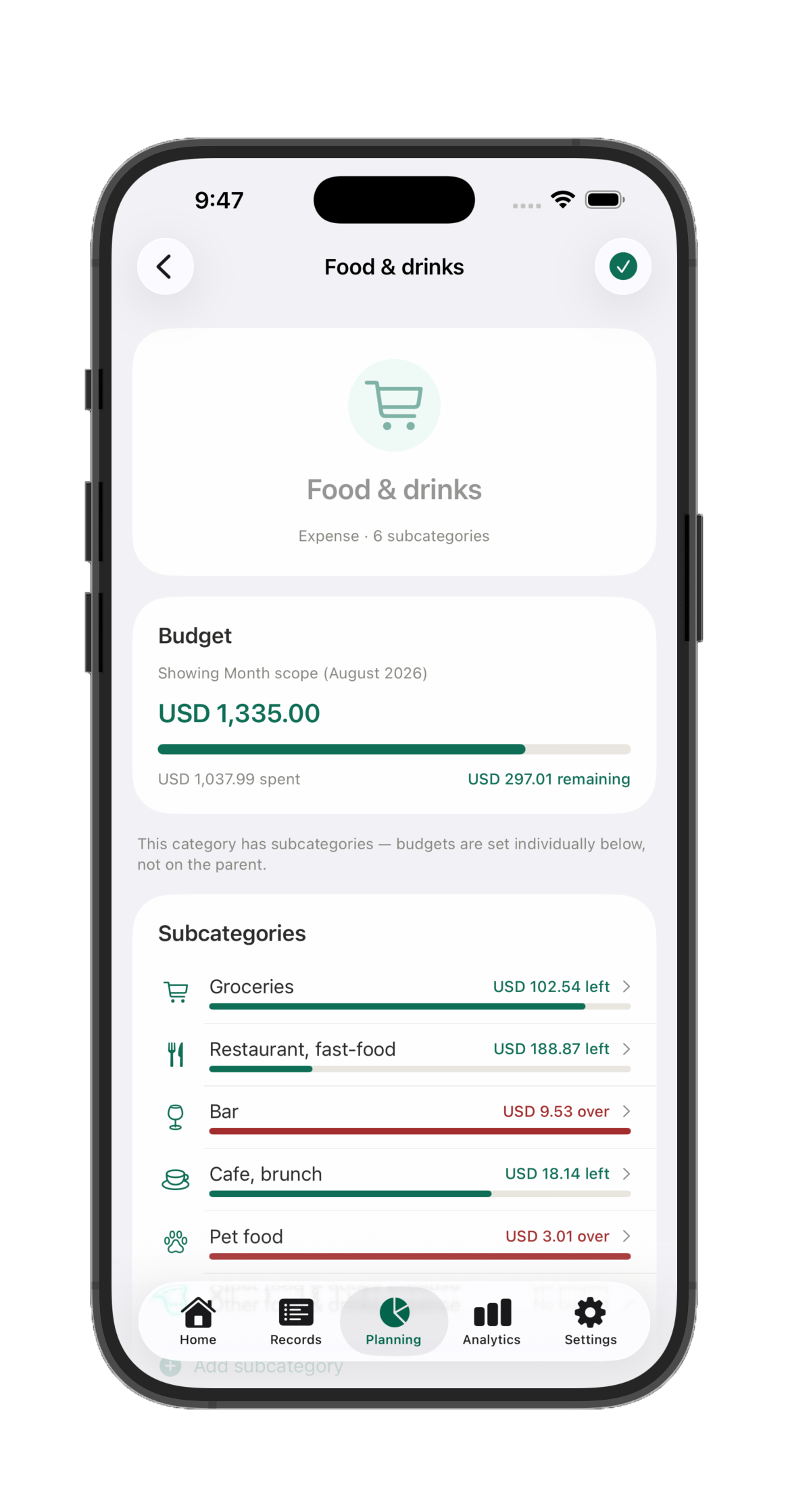
Over 100 built-in categories and subcategories, with completely new ones for you to add freely, to match your real life spendings and incomes. Set a budget on "Groceries" and it rolls up into "Food & drinks" automatically — no manual math.
Groceries
Rent
Subscriptions
Childcare
Insurance
Fuel
1
It remembers how you categorize things. Buy from the same place twice, and next time the category is already filled in.
2
Every subcategory rolls up. You always see the fine detail and the big picture, without doing the math yourself.
3
Spend tracks against budget, pro-rated. Know exactly where you stand for exactly how far the month has gone.
4
Filter everything by category — transactions, Projects, and reports, down to the exact subcategory you want.
5
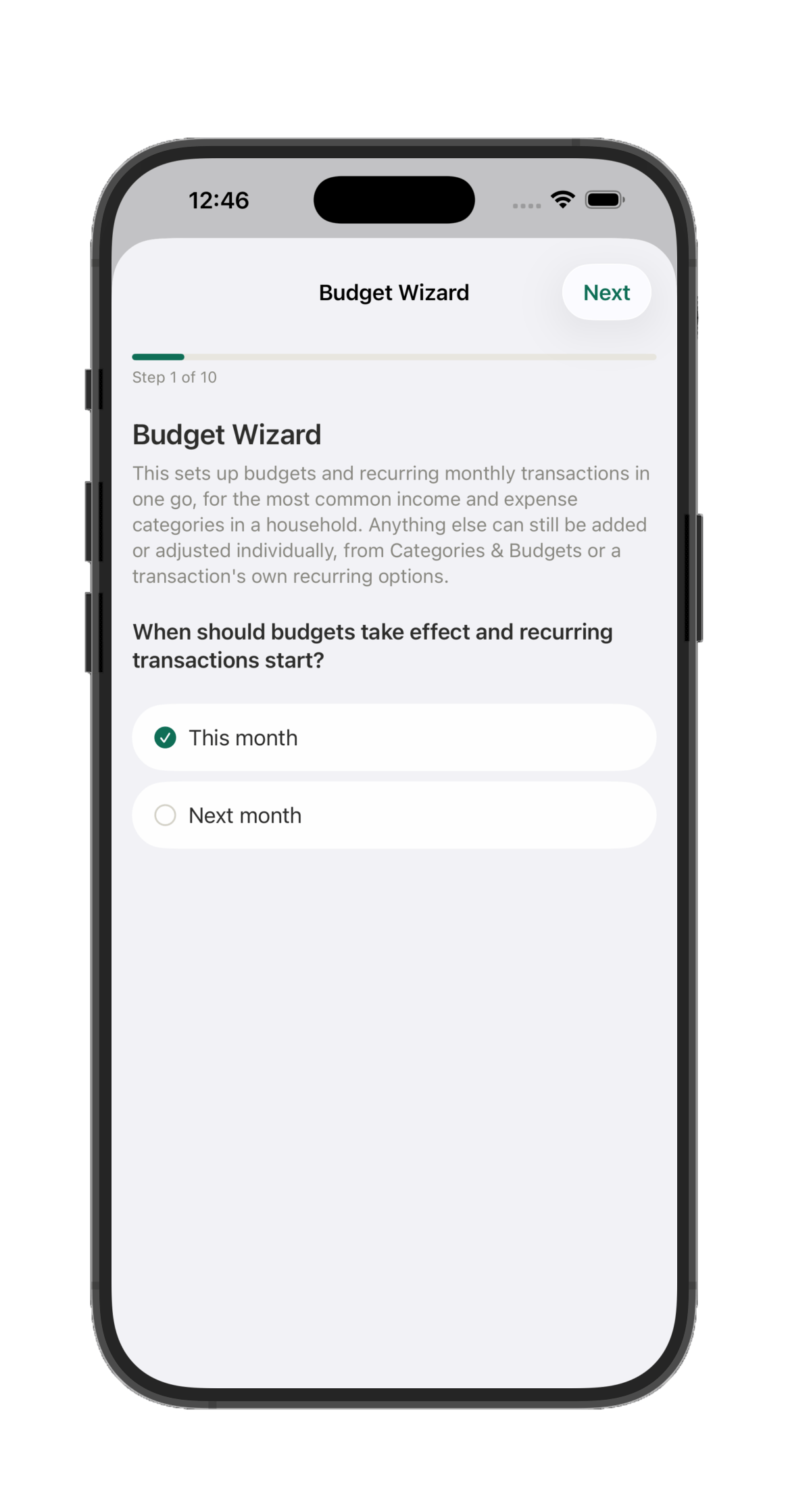
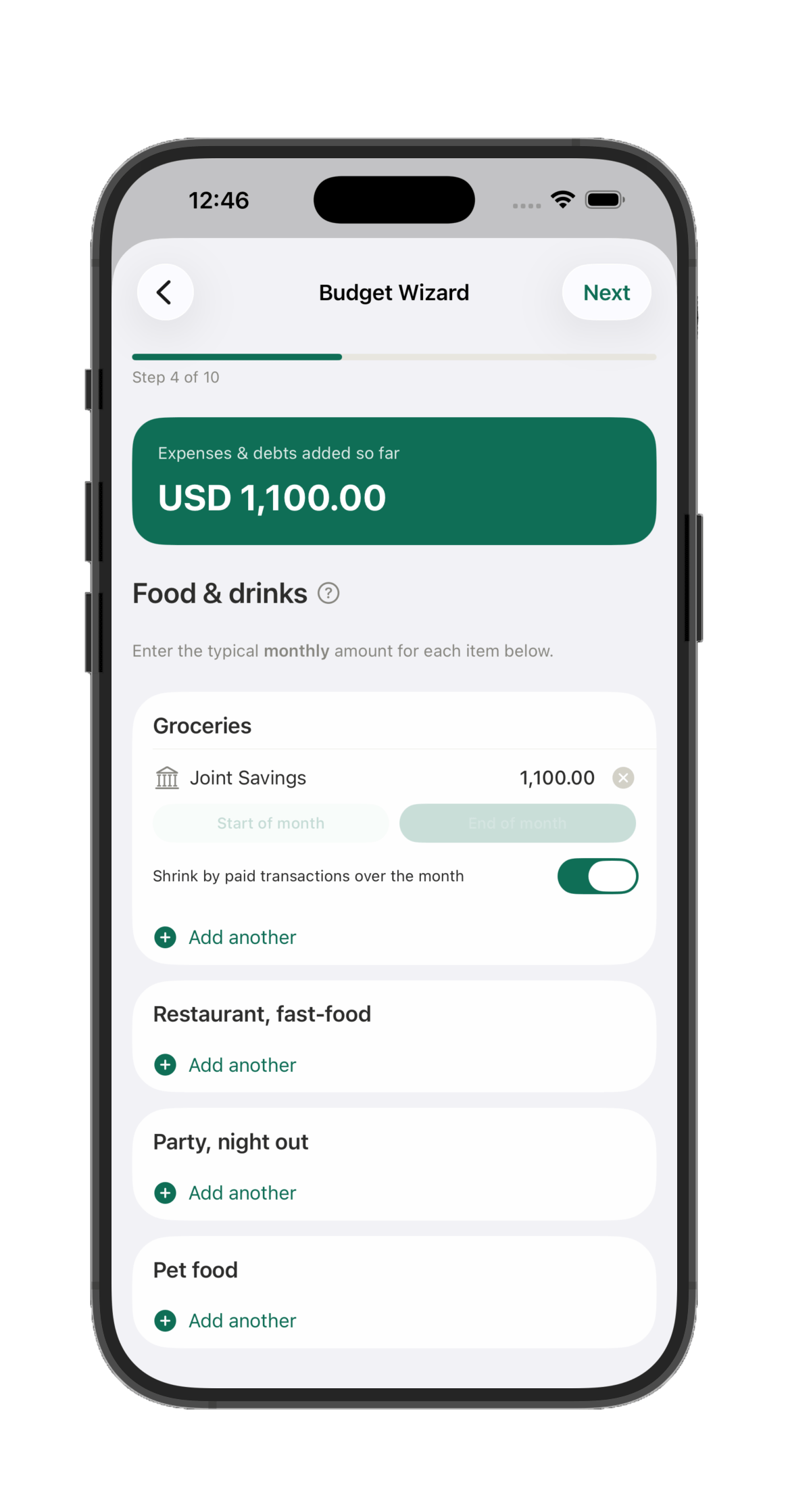
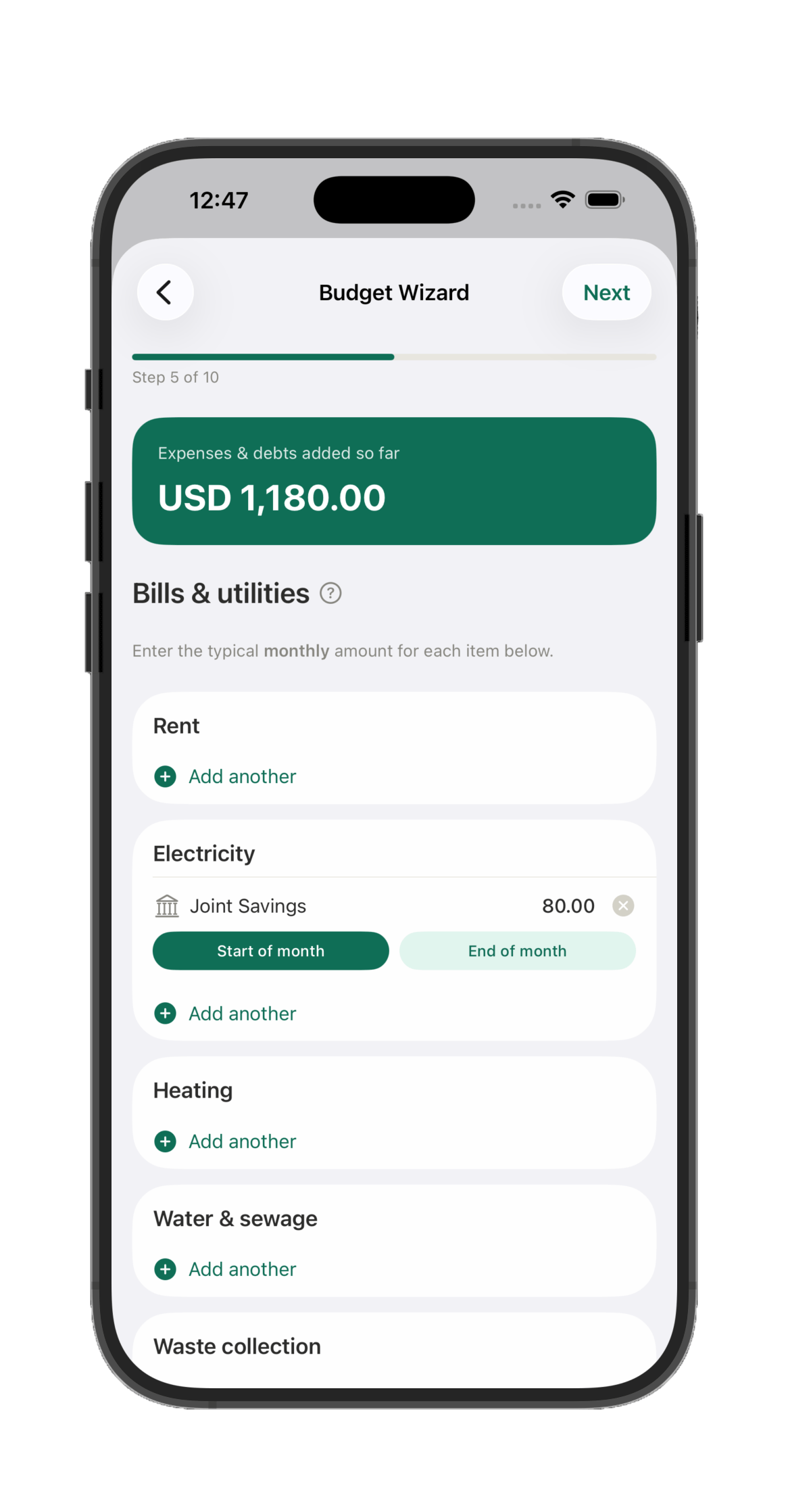
The Budget Wizard sets it all up in minutes. Enter your typical monthly income, bills, and everyday spending, and it creates the budgets and the recurring transactions behind them in one go. For something like groceries, a budget can even shrink automatically as you log the real purchases, so what's left of it is always accurate.
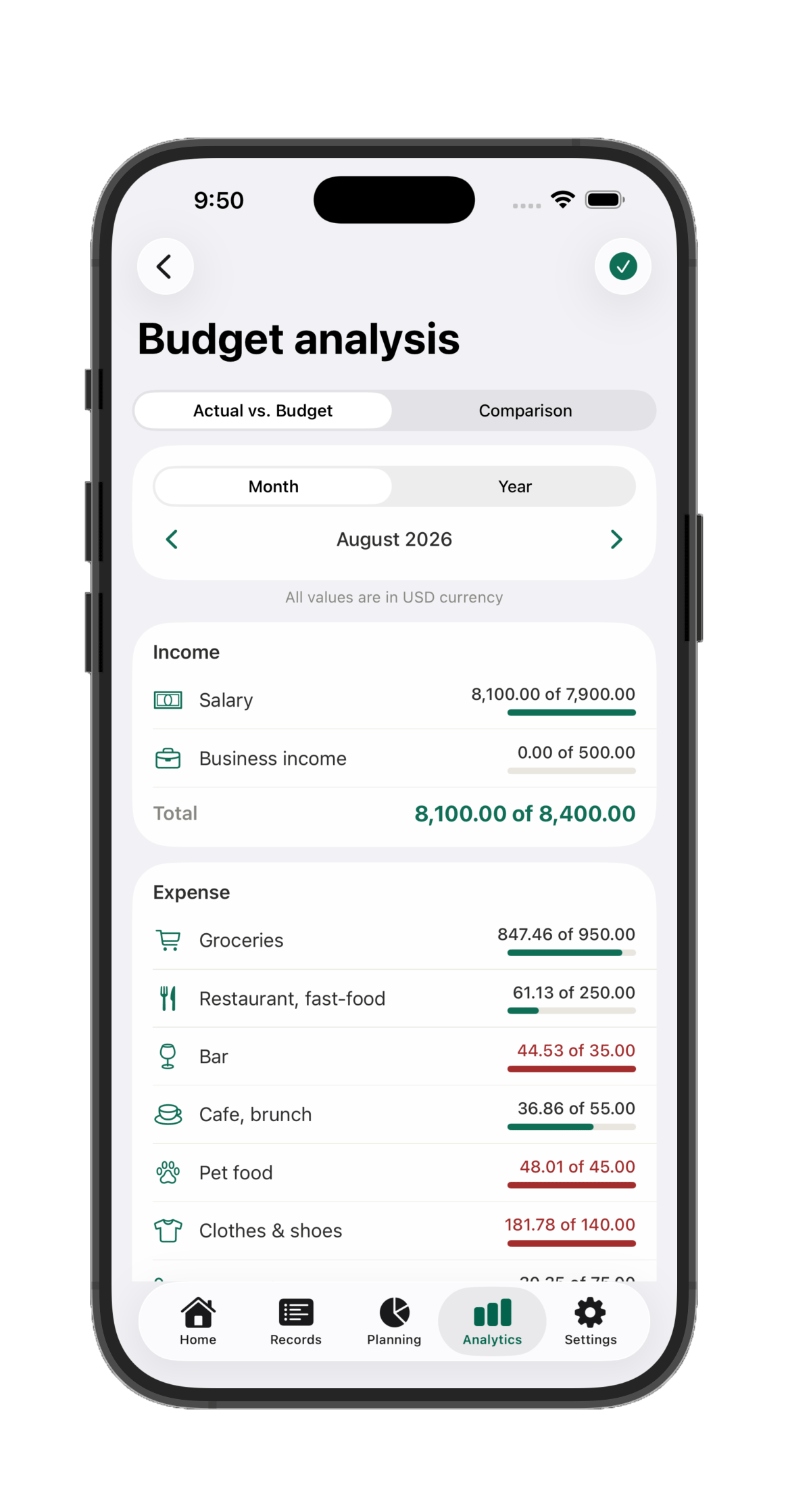
Every category, budgeted at a glance
Drill into any category
Subcategories, budgeted individually
The Budget Wizard: start in minutes
Groceries that shrink as you spend
Bills, due when you say
Actual vs. budget, per direction
Every category's own progress
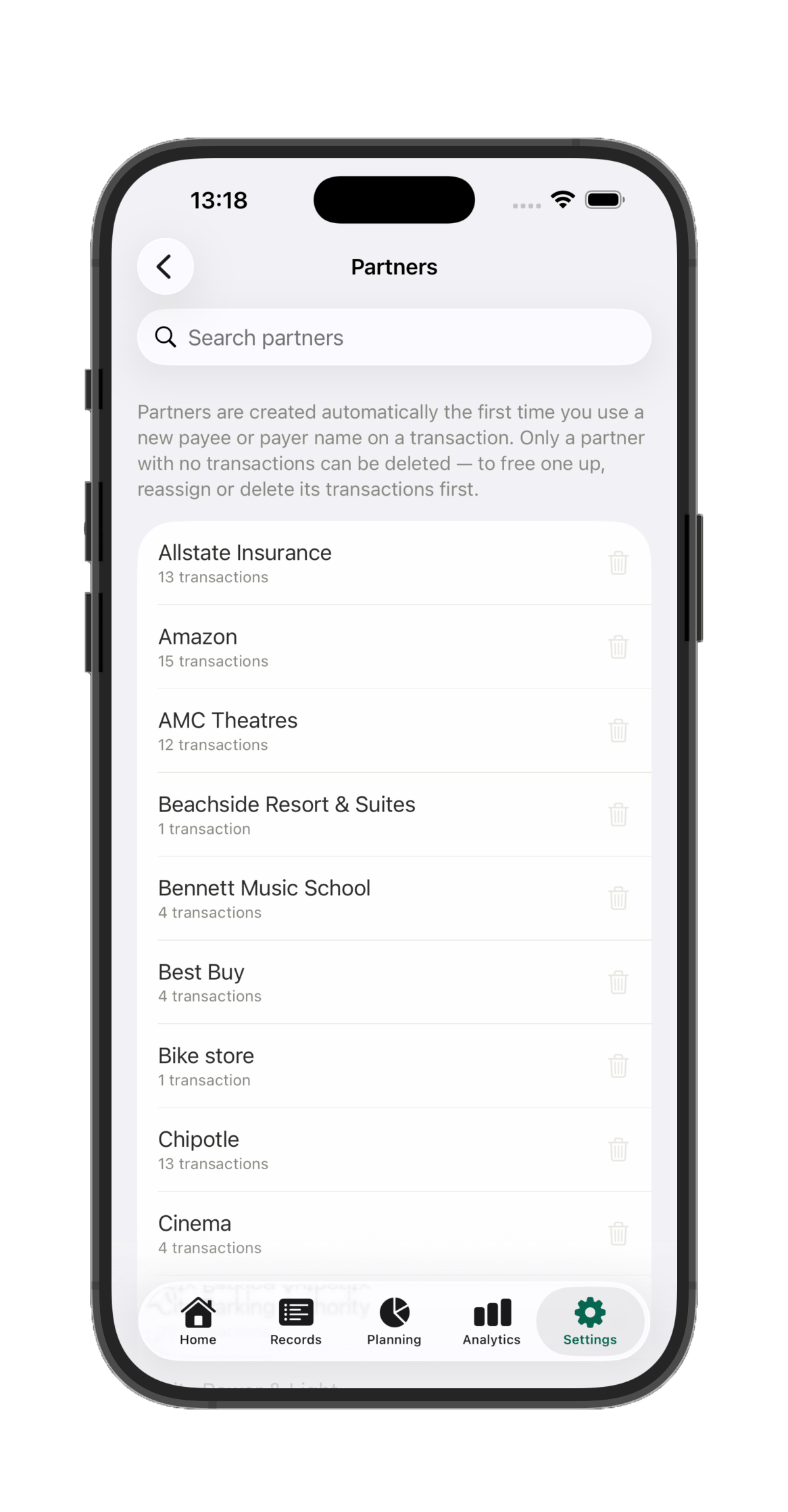
It remembers your payees, too
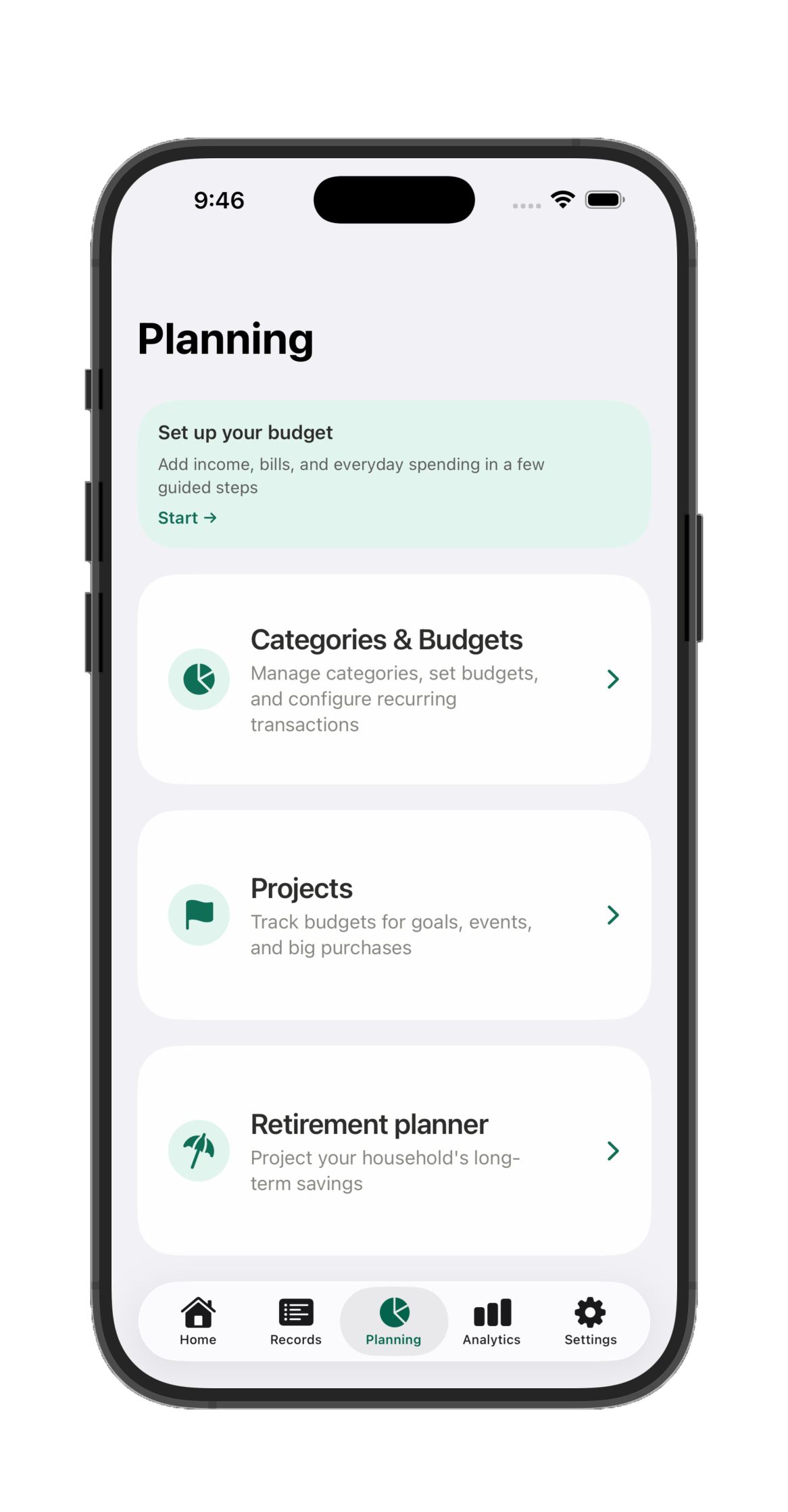
Planning tab
Budgets, projects, and retirement — one tab, one picture
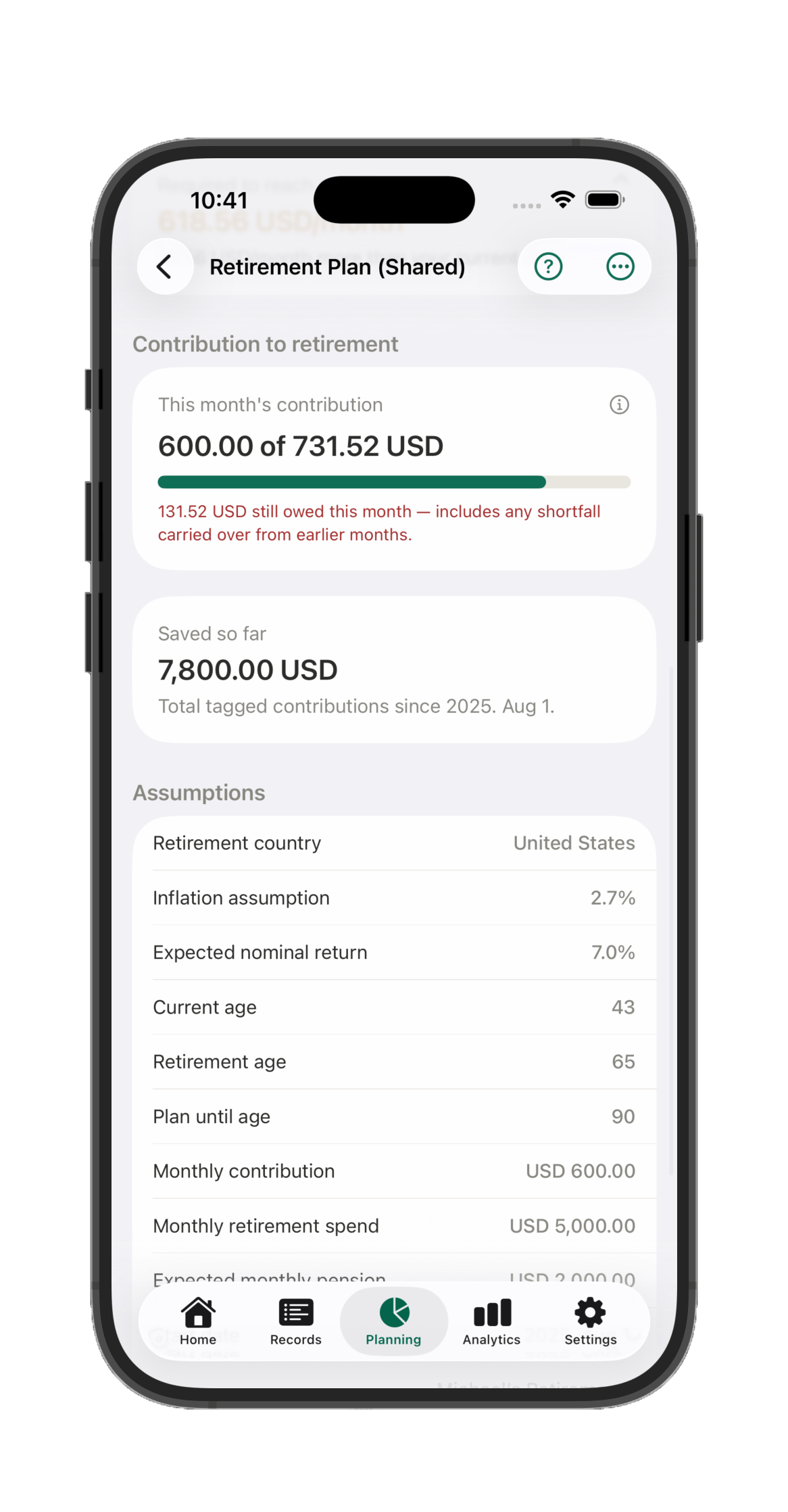
Categories & Budgets, Projects, and a full Retirement planner all live together under Planning. Project your household's long-term savings against real return, inflation, and pension assumptions — and see exactly whether this month's contribution keeps you on track.
Retirement planner
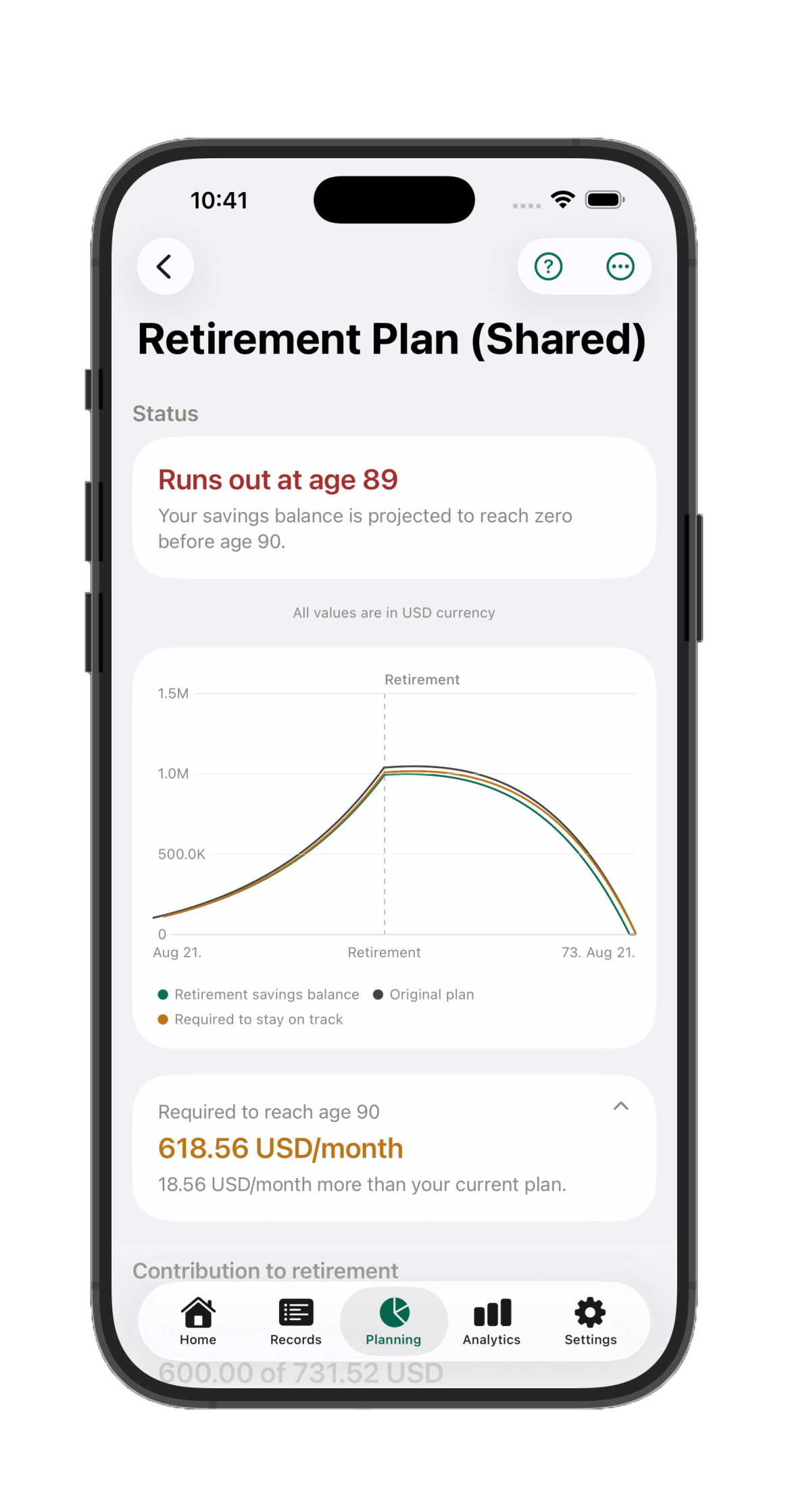
Know today whether you're on track for retirement
Set your retirement age, expected return, inflation, and pension, and Havnest Money projects your real savings balance decades out — including the exact monthly contribution needed to stay on track. Tag transactions as contributions and it tracks what you've actually saved against that plan, month by month.
Projects
Plan life's big moments without a spreadsheet
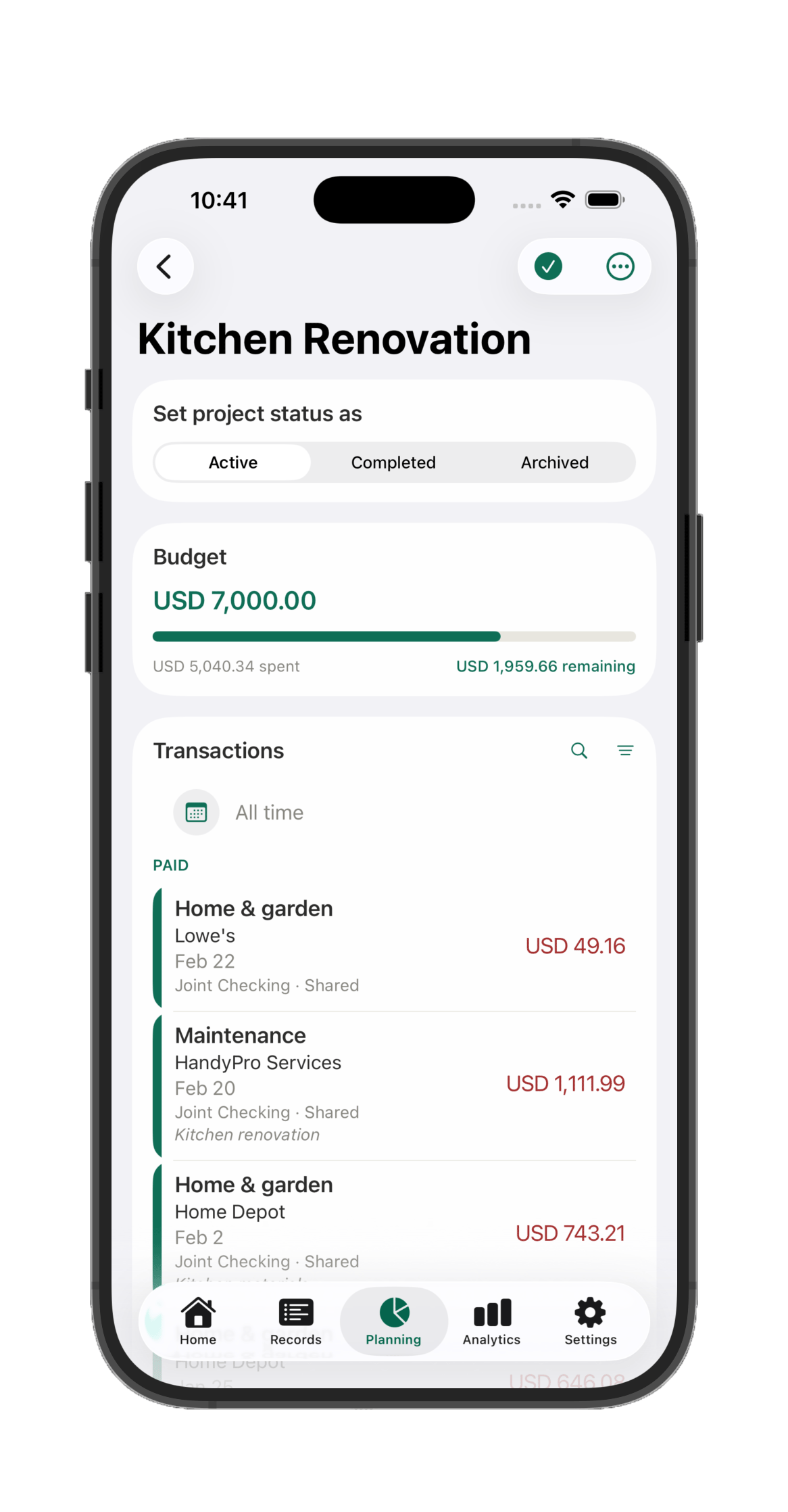
Tag any transaction with a project name and Havnest Money does the rest. A live tracker appears automatically — total budget, amount spent, remaining balance, and every linked transaction in one place. No setup required. Just tag and go.
Works for anything with a budget and a timeline
Planning a wedding? Renovating your kitchen? Expecting a new baby? Each becomes a project the moment you tag your first transaction.
Wedding 2026
Kitchen renovation
Baby arrival
Summer holiday
New car fund
Home office setup
Garden landscaping
1
Tag any transaction with a project name — on entry, or any time afterwards.
2
Set a budget for the project, and Havnest Money tracks it in real time as spending accumulates.
3
Drill down into any project to see every linked transaction, by category, date, or household member.
4
One transaction, multiple projects. A shared dinner during the renovation trip counts for both.
A project in action
Kitchen Renovation — tracked to the last transaction
A real project, built entirely from tagged transactions: a total budget, exactly what's been spent, what's left, and every linked transaction lined up below — Paid, Planned, and Overdue in one clean view.
Notifications
Stay ahead — never be caught off guard
Havnest Money tells you what's coming before it arrives — upcoming payments, budget alerts, and salary reminders, all surfaced in time to act on them.
Every reminder links straight to the transaction it's about, so acting on it is one tap away.
Electricity bill due in 3 days
€112.40 · Main account · scheduled 14 May
You're 82% through your dining budget
€164 spent of €200 · 11 days left in May
Salary arrives tomorrow
€2,850 · planned income · Main account
Household profiles
No more guessing who spent what
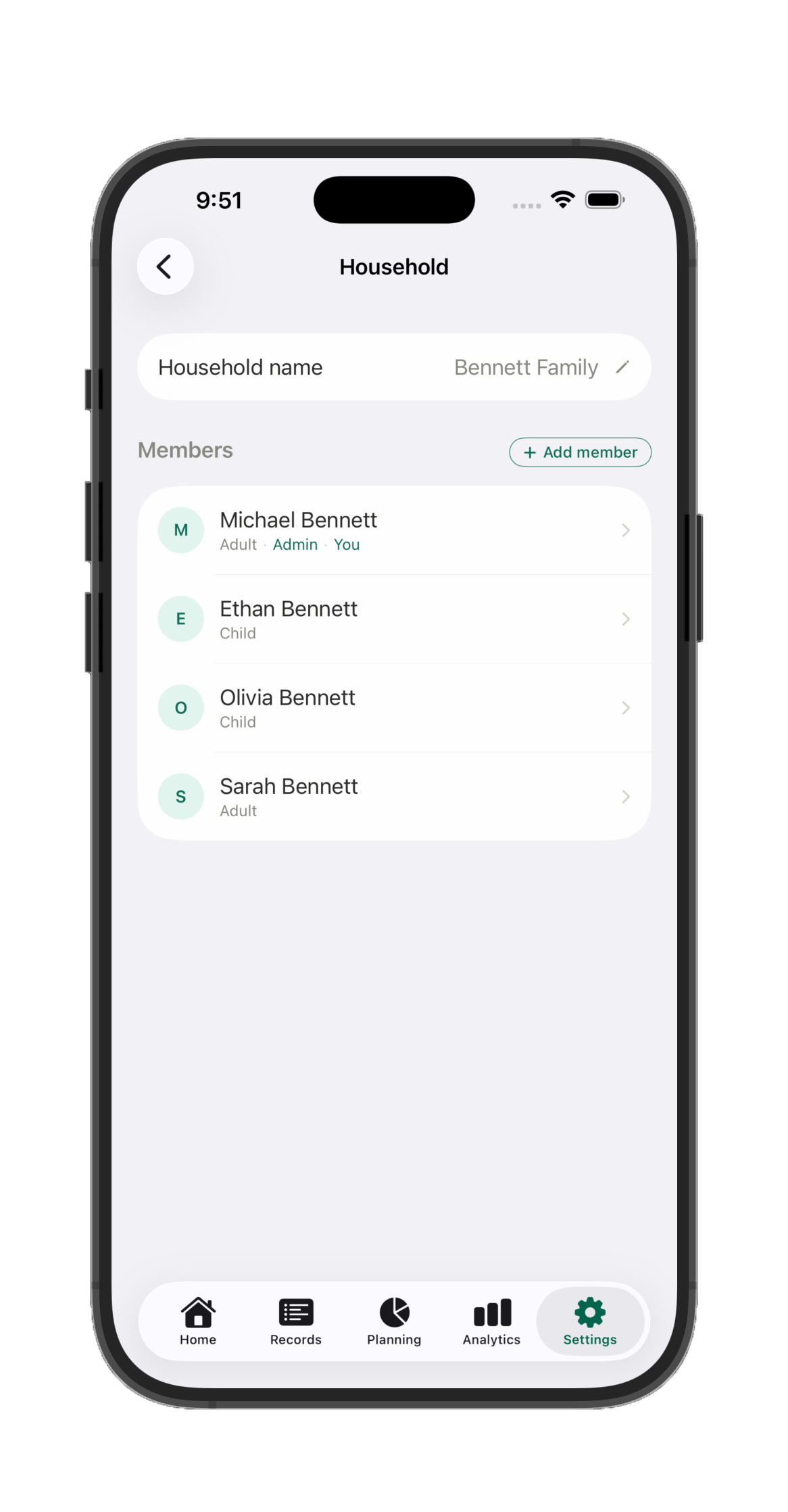
Profiles in Havnest Money are more than user accounts. Every account belongs to a household member — or is shared by the whole household — so every transaction is automatically attributed to its owner. Personal spending is personal. Shared costs are shared. Everything is transparent, always.
M
Michael
Admin
Personal spending this month
$412
S
Sarah
Adult
Personal spending this month
$268
E
Ethan
Child profile
Pocket money tracked
$18
O
Olivia
Child profile
Pocket money tracked
$31
Child profiles
A simpler, beautiful money app — just for kids
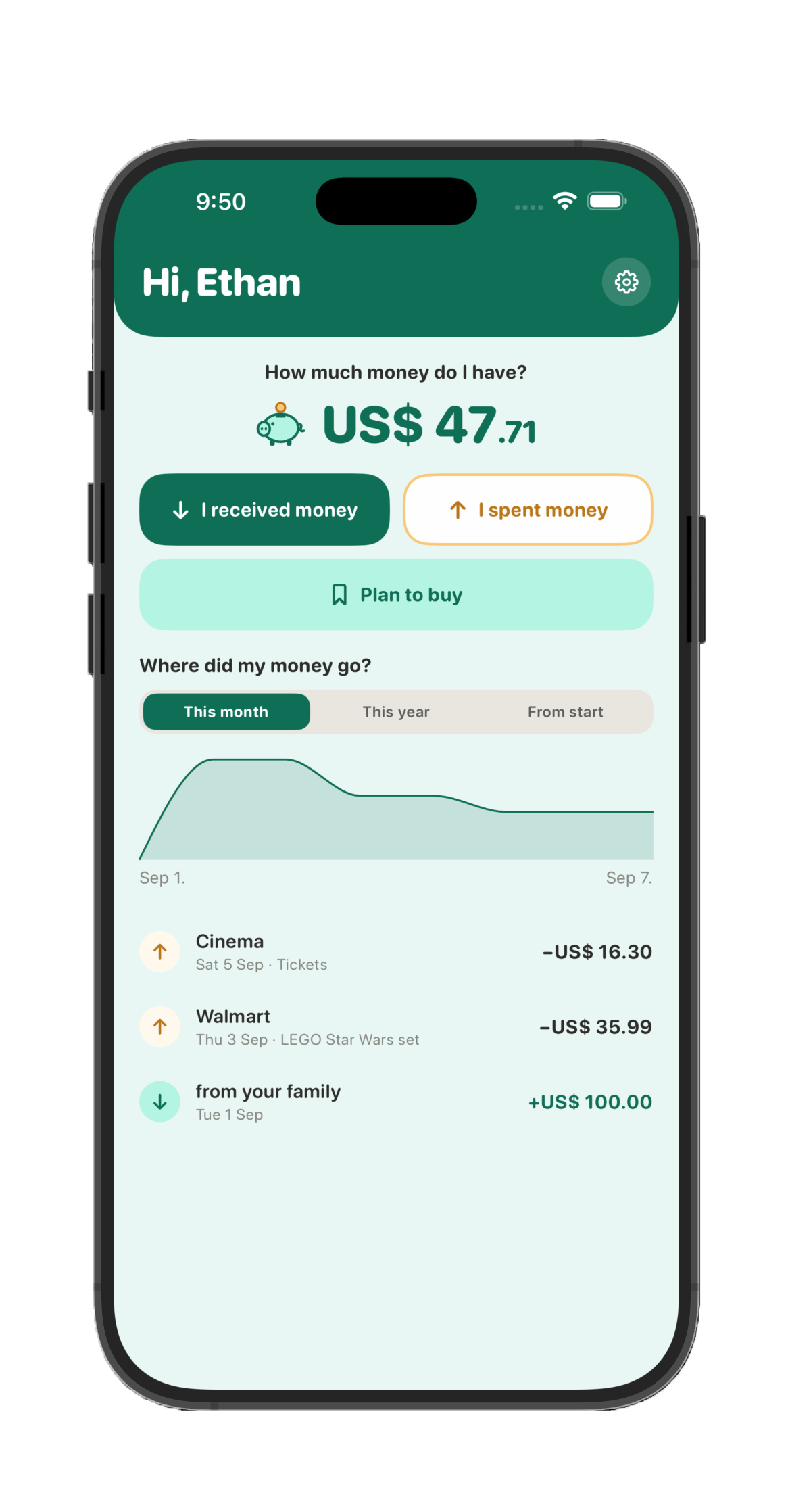
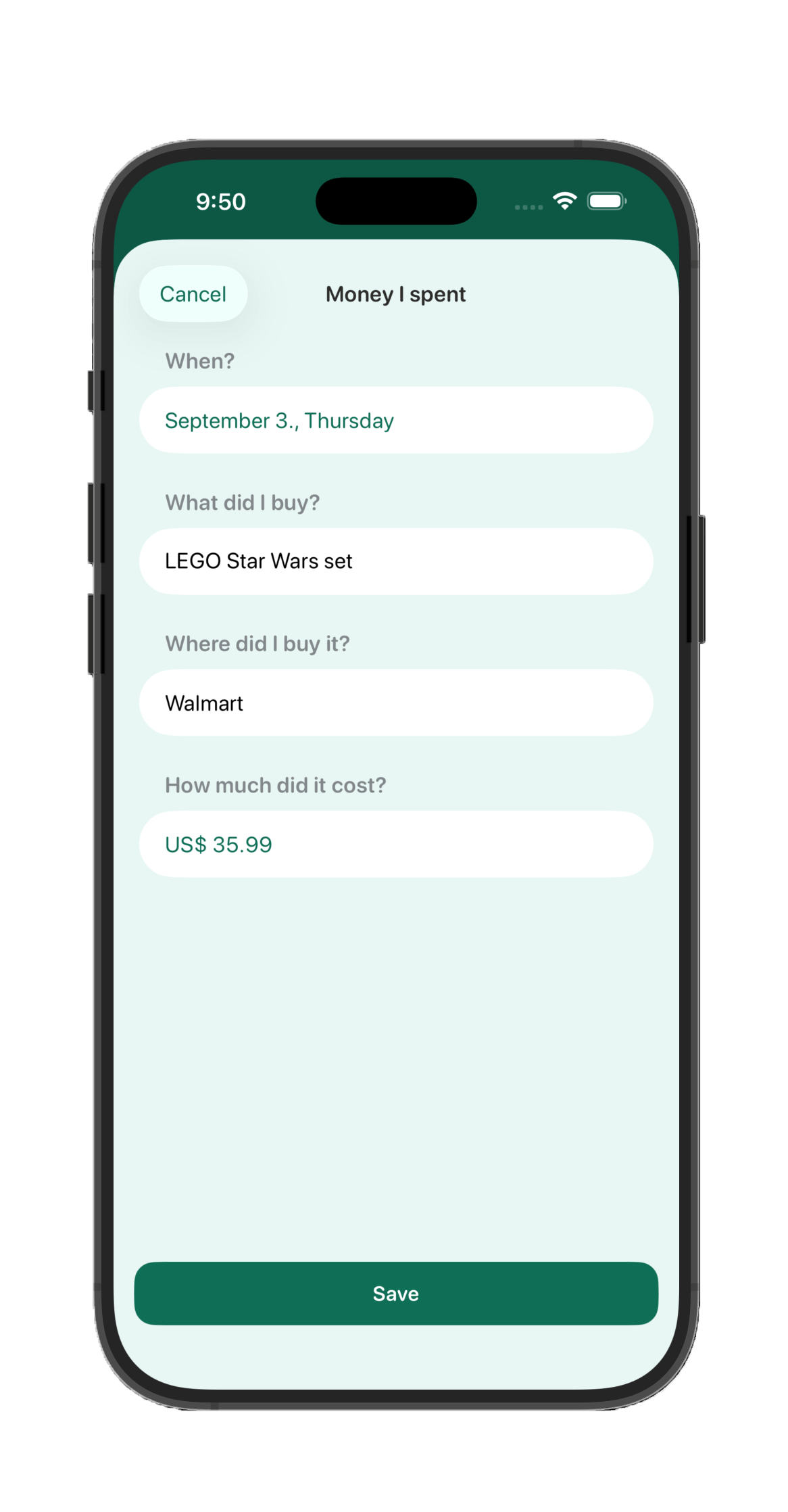
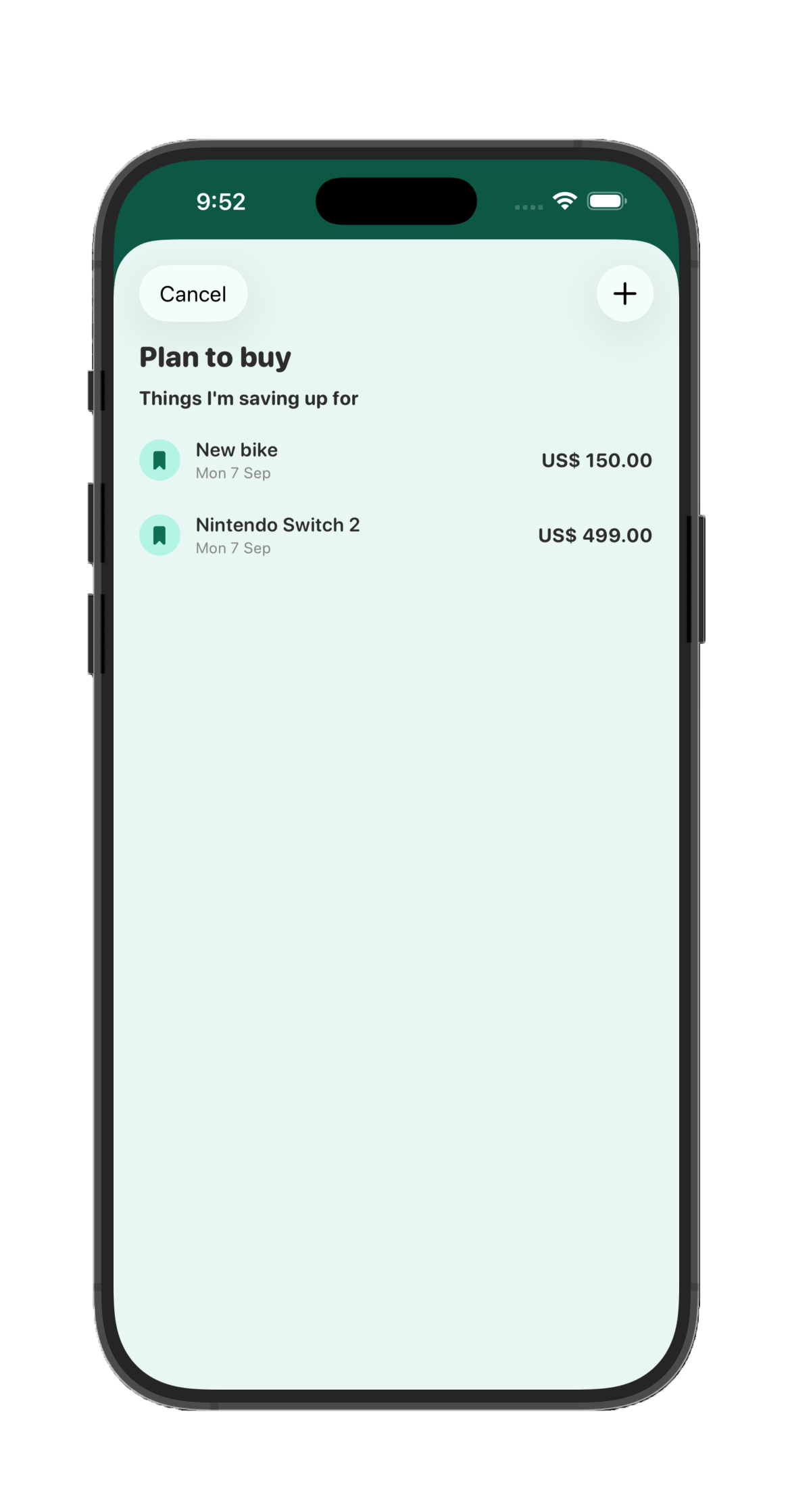
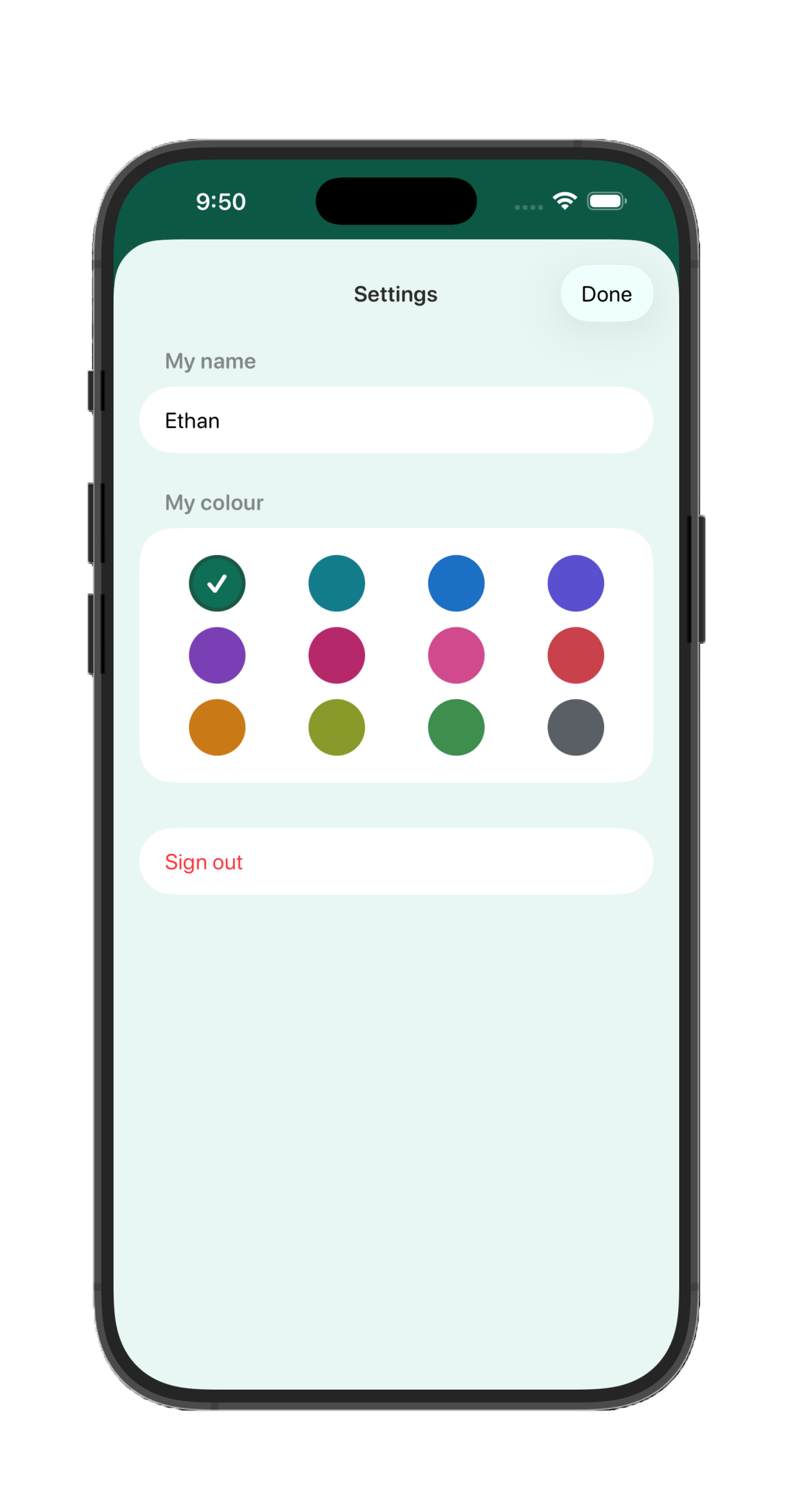
Invite a household member as a Child, and they get their own dramatically simplified experience: log the money they get and spend, keep a wishlist of things they're saving up for, and pick their own colour theme. A beautiful, super-simple interface built just for them — while adults and admins see every entry as a normal transaction in the full Havnest Money experience.
A home screen built for kids
Logging what they spent
Saving up for something
Pick your own colour
Pricing
Free during early access
Free/ early access
Full pricing, once introduced, is expected around €7.99 / month per household
Join now for a discounted, founding-member rate once pricing begins
Full functionality, no limitations.
Unlimited accounts, transactions & budgets
Household profiles, including a simplified Child mode UI for managing pocket money & learning financial responsibility
Projects, forecasting & deep analytics
256-bit end-to-end encryption — practically impossible to break with brute-force methods
Havnest Money is free while we're in early access, building this out with real households like yours. No payment details, no trial clock, no catch.
When pricing is eventually introduced, everyone who joined during early access keeps a founding-member rate — permanently lower than what new households pay from that point on. Early access is our way of saying thank you for helping shape this before it existed for anyone else.
Looking further ahead, direct bank connection will be available as an optional add-on for an additional fee — the exact price isn't set yet.
Your data is yours. Full stop.
No ads. No data brokering. No third-party analytics on your financial life — ever. Every household's data is fully isolated at the database level, so no one outside your household — and no one without proper authorization — can ever see it. Your real financial content is protected by 256-bit end-to-end encryption, sealed on your own device before it ever reaches us — practically impossible to break with brute-force methods, and unreadable by anyone outside your household, including us. You can permanently delete your data at any time, directly from the app.
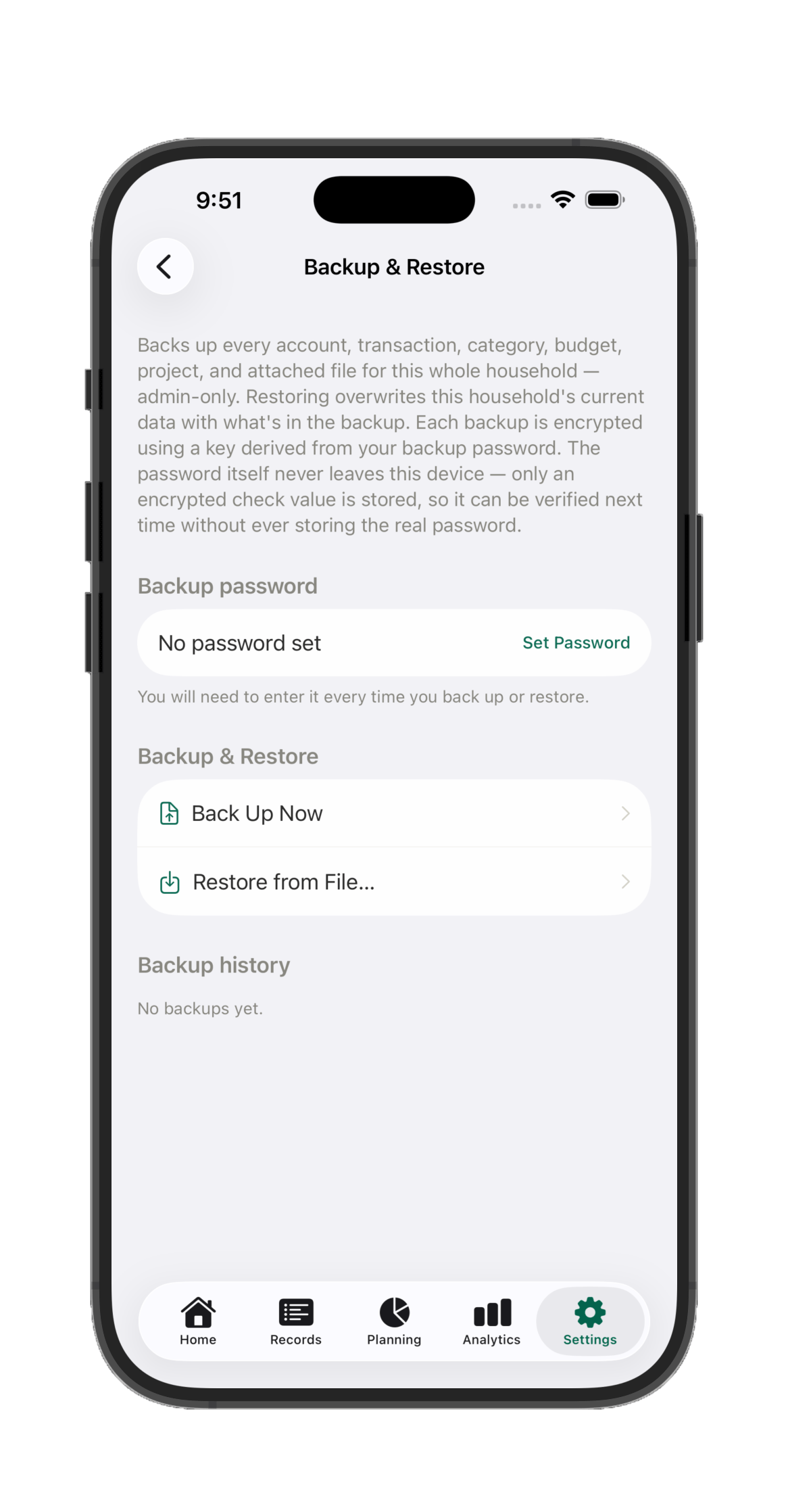
Full household backups, encrypted with the same recovery key that unlocks your data on every device. Back up on demand, restore on any device — Havnest Money never sees that key.
About
Built by the user who needed it most
"Back when I started tracking our home finances, I built a big Excel system from scratch — it did exactly what I wanted. But I also needed it on my phone, my tablet, whatever I had at hand. I tried app after app over fifteen years. They were good apps, but none of them could truly do what I wanted. So after 21 years working in data and finance, I decided to stop waiting and build it myself."
Havnest Money is built by a solo founder with two decades of domain expertise — both as a data and finance professional, and as the target user. This is not a developer who spotted a market gap. It is someone who lived the problem for fifteen years, mentally designed the solution along the way, and finally built it.
H
The Havnest Money founder
21 years in data analysis & corporate finance · havnestmoney.com
Privacy by design
No ads, no data brokering, no third-party analytics on your financial life. Each household's data is isolated by design, and the financial content that actually matters — amounts, notes, account and category names — is protected by 256-bit end-to-end encryption, sealed on your own device before it's ever sent to us. Practically impossible to break with brute-force methods, and unreadable by anyone outside your household — including us.
Built to last
Subscription pricing means the product is funded by users who find it valuable — not by investors looking for an exit. The incentives are aligned with you.
Honest about what it is
Havnest Money is an independent product built by one person. What it lacks in brand recognition it makes up for in focus, craft, and genuine lived expertise in the problem it solves.
Gallery
See it in action
Every screen shown on this page, and a few more besides. Tap any screenshot to view it full size.